
Introducing Workflows
Your company's routine work runs by itself, on time and by your rules.
Product · SegmentStream · 30 October 2026 · 3 min read
On this page
Workflows let you automate the processes your company runs on. Describe a process to your coding agent, and it becomes a workflow in your workspace: steps that start on a schedule, after a record changes, or when a service like Stripe calls. A step can wait for days, retry when something fails, call your connected tools, ask a model, or hand a task to your company agent. Each workflow runs with its own role, so it can only do what you allow, and the console shows every run step by step.
What's new
- Workflows start on a schedule, after a change to a record, or when another service calls.
- Each workflow has its own role and changes records the same way a person does.
- A step that fails is retried, and a workflow can wait for days.
- A step can ask a model for help or hand a task to your company agent.
- A trigger can also run a single action, with no workflow around it.
- The console shows each workflow as a map, with every run on it.
Three ways to start
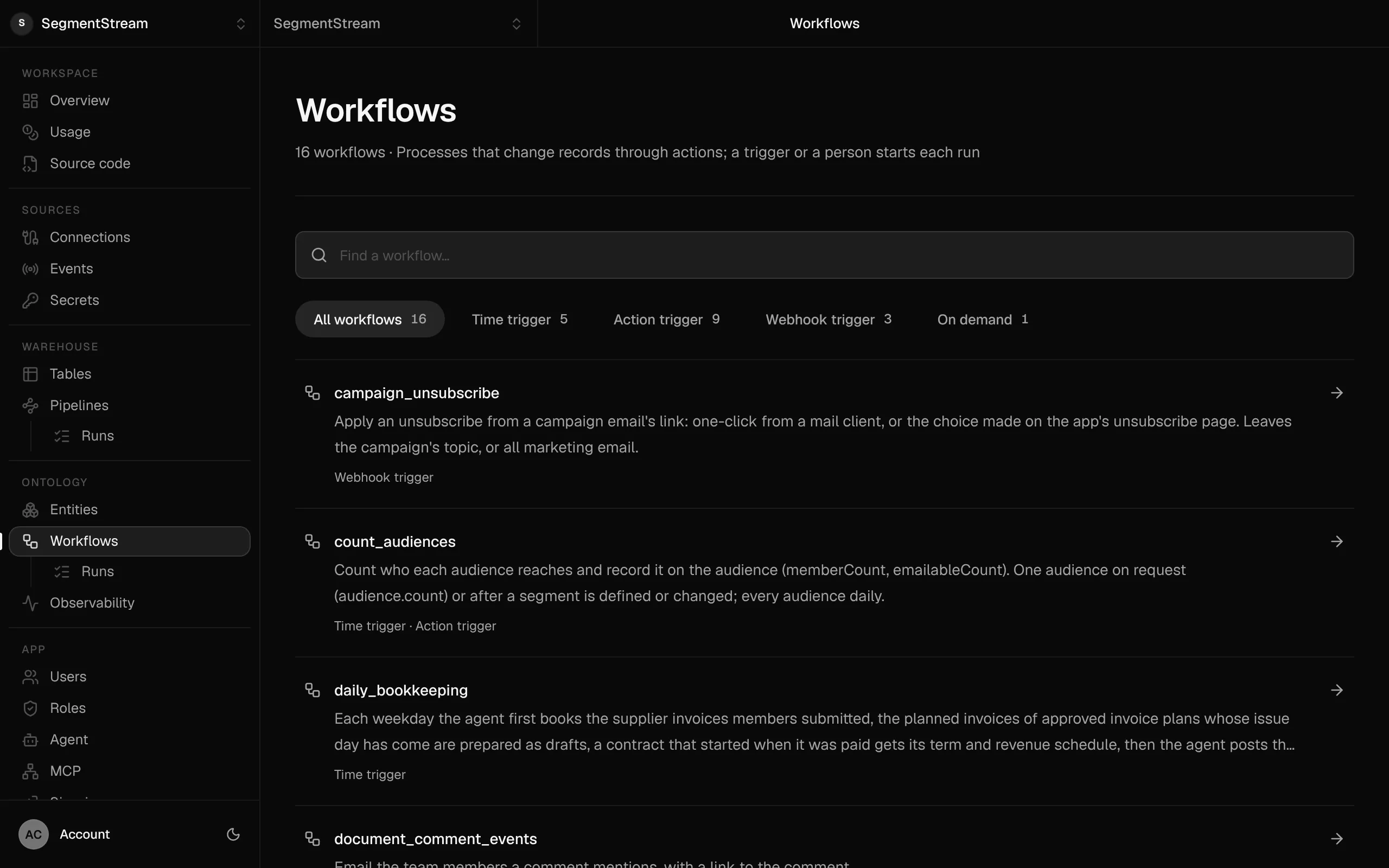
People can also start a workflow themselves from the app, the command line or their AI tool, if their role allows it.
The same rules as your team
Each workflow runs as its own user with a role you give it. It changes records through the same actions your team uses, with the same checks, and its changes show up in the history under its name. A workflow that sends reminders can't approve an invoice, because its role doesn't allow it.
When a workflow needs another tool, it goes through your connections. It never holds a password or a token.
When something fails
A workflow is made of steps. If a step fails, it runs again, and the steps that already finished don't. A workflow can also wait, say a week for a reply before it sends a follow-up, and then carry on from where it stopped. If a step is refused for a reason that won't change, like a missing permission, it stops instead of retrying.
AI in a workflow
A step can ask a model to read a document, sort a lead or draft a reply. There is no API key to set up.
A step can also give your company agent a task in plain words, like "book yesterday's supplier invoices". The agent does it with its own tools, and the next step uses the result. It works with the workflow's role, so you decide what it can do while nobody is watching.
A single action
If all you need is one action, you don't have to write a workflow. A schedule, a webhook or another action can run it directly, with retries. If it fails, you can run it again from the console.
Every run in the console
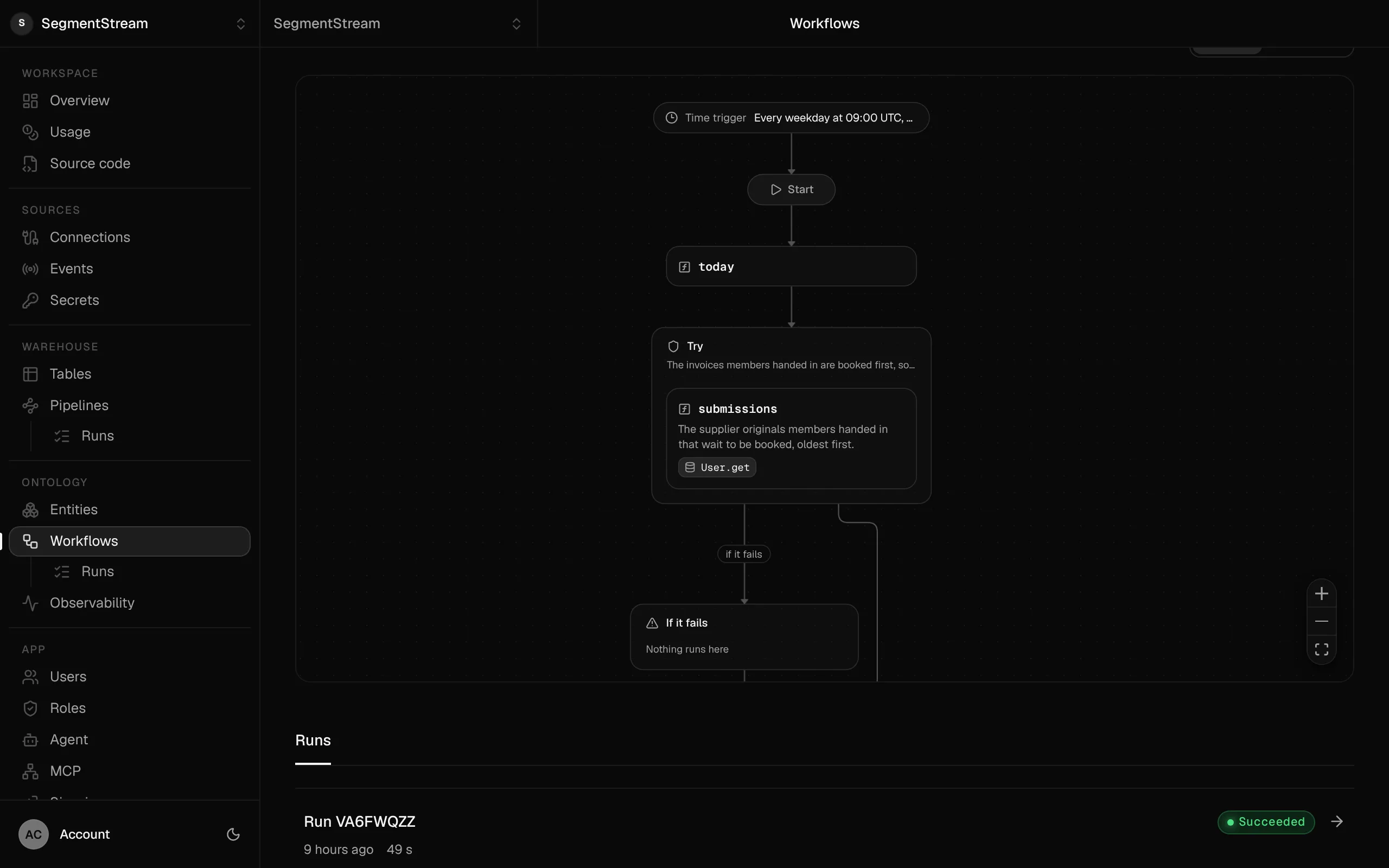
The console draws each workflow from its code, like the one at the top of this post. You see what starts it, each step and what it touches, and what happens if a step fails. Each run is shown on the same map, with the steps it took and how long they took.
Try it
Install SegmentStream:
curl -fsSL https://segmentstream.com/install.sh | shThen tell your coding agent (Claude Code, Codex, Cursor or another) what should happen. For example:
Every weekday at 9:00, find the invoices that are 7 days overdue
and remind each customer's billing contact. When a deal is won,
create the customer in Stripe and add a welcome task for the
account manager. When Stripe confirms a payment, mark the invoice
paid.
More on the Workflows page. Records and actions are explained in the ontology post.