
Newsletters to audiences built from the contacts you already own.
Campaigns go to audiences built from your own contacts, sent through your Resend account. Consent, bounces and complaints sync back to each contact, and a campaign goes out only after the right role approves it.
Campaigns to audiences built from your contacts. A draft goes out through Resend only after the marketing lead approves it.
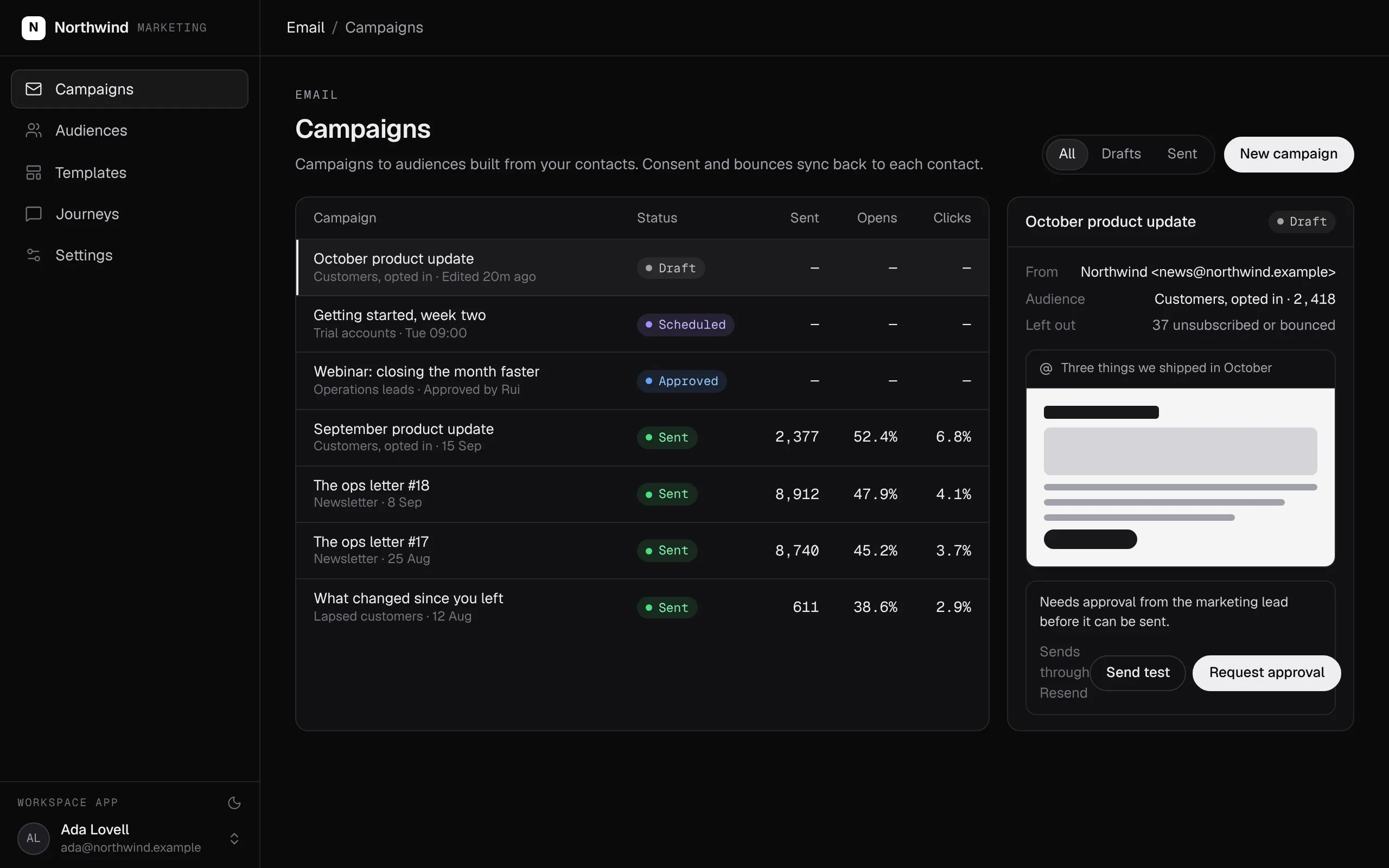
Swipe the screen sideways to see all of it.
Newsletters: what it does
Connect Resend and tell your agent who you write to and who approves. It writes the audiences, the campaign actions and the pages.
- Audiences are definitions over your contacts, so the list is never a stale export.
- Every send leaves out anyone unsubscribed, bounced or complained, because the send action checks consent.
- A draft goes out only after the role you choose approves it.
- Campaigns send through your own Resend account; the key stays with the platform.
- Bounces, complaints and unsubscribes sync back to the contact sales works.
What it covers
Audiences from your contacts
Customers, trials, a region or a stage of the pipeline: audiences are definitions over the contacts sales already works, kept current.
Consent on every send
The send action leaves out anyone who unsubscribed, bounced or complained, so no page, script or agent can skip it.
Approval before sending
A draft goes out only after the role you choose approves it. Nobody approves their own campaign.
Sending through your own provider →
Campaigns send from your own domain through the email service you choose, such as Amazon SES, Resend, SendGrid or Postmark. We set it up with you.
Results on the contact
Deliveries, bounces, complaints and unsubscribes sync back to each contact, on the same records as sales.
Drafted with any agent →
Any agent connected over MCP can draft a campaign or build an audience, with the permissions of the member it works for.
Built from typed blocks
No new product to buy: the blocks below, written by an agent into your workspace's repository and deployed with one command.
None required.
$ segmentstream deploy
Every block ships together from one git repository your company owns. SegmentStream runs it.
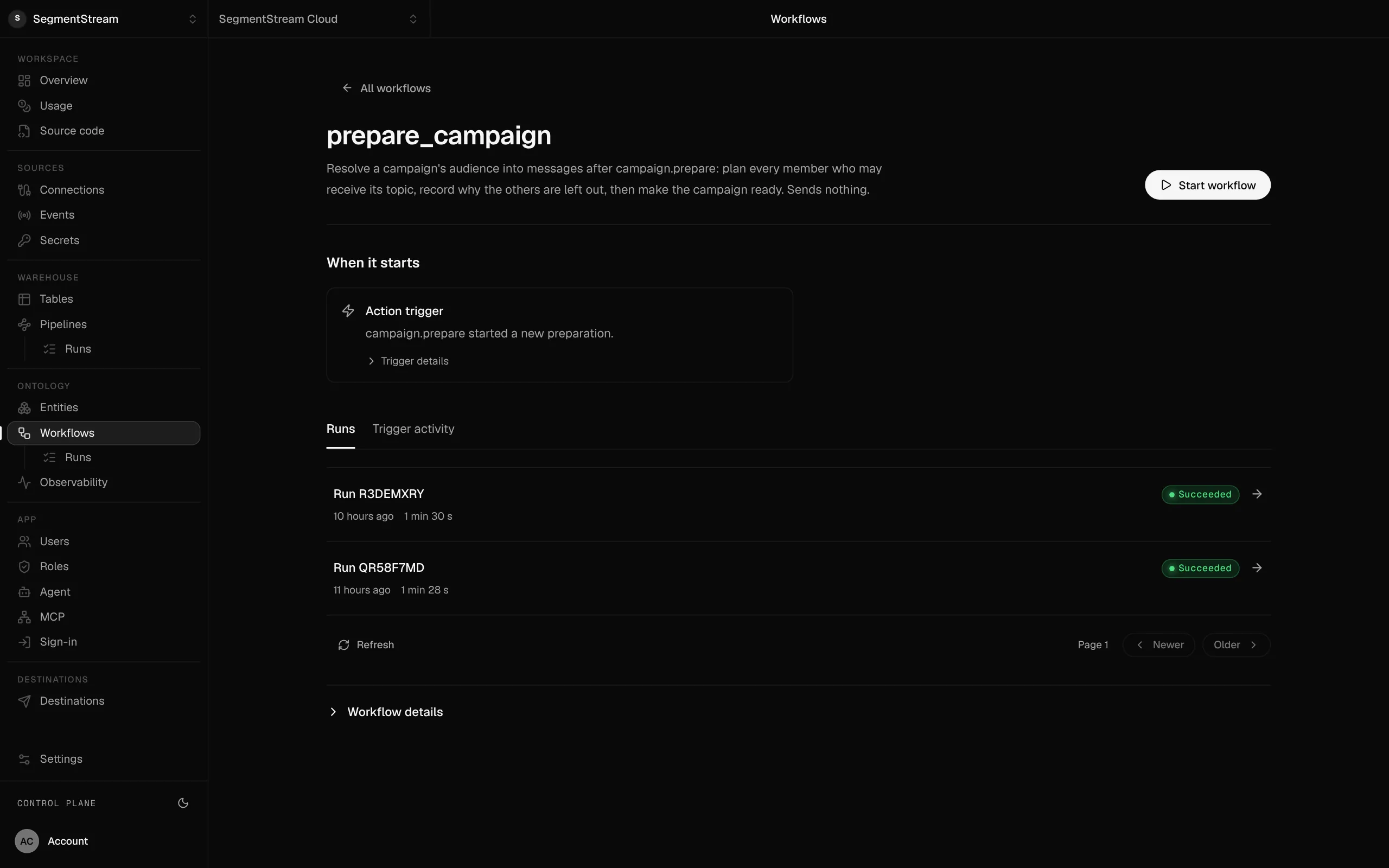
Each campaign workflow with its trigger and runs.
What starts it, what it did and how long it took, kept for every run.
- Mailchimp
- Customer.io broadcasts
- HubSpot marketing email
Subscribers and their consent load once through the ontology API, from Mailchimp, HubSpot or a CSV export, with the original consent dates kept. Resend sends from your own domain.
Moving from
We can do the whole move for you.
Our forward-deployed engineers take the migration end to end: the model, the export, the import, the side-by-side comparison, and the switch. It starts with a fixed-scope pilot, and nothing is switched off until the numbers match.
Enterprise, with our engineers
Our engineers move your lists and consent records in, set up sending from your domain, build the campaign and audience pages, and run the first sends with your team.
Self-serve, with your own agent
Connect Resend and tell your agent who you write to and who approves. It writes the audiences, the campaign actions and the pages.
curl -fsSL https://segmentstream.com/install.sh | shRelated solutions
Questions
Which email provider does it use?
Your own email service, such as Amazon SES, Resend, SendGrid or Postmark, sending from your domain.
How is consent kept?
On the contact, with the date and source of every change. The send action reads it, so an unsubscribed or bounced address never gets a campaign, whoever sends it.
Can an agent write the newsletter?
Yes. An agent connected over MCP can write the draft and build the audience. Approval and sending stay with the roles you chose.
Rather have it built for you? Start a pilot.
Our engineers move your lists and consent records in, set up sending from your domain, build the campaign and audience pages, and run the first sends with your team.
- One solution, on your data, in your own workspace
- First version live in two weeks
- Parity proven before anything is switched off
- Fixed scope and price, credited to your contract if you continue
Not ready for a pilot? Send the form anyway with your question. An engineer will reply, not a sales rep.
How the pilot worksBuild your company’s own software. Let agents run it.
$ segmentstream workspace create acme --region eu --subdomain acme
▸ Created workspace acme · database, warehouse and a private git repository
$ segmentstream workspace WORKSPACE-ID clone acme && cd acme
▸ your coding agent builds what your team asked for and runs the checks
$ git add -A && git commit -m "First version"
$ segmentstream deploy
▸ app, company agent, API and MCP tools live for your invited members
Our engineers build the first version on your data in two weeks, at a fixed price.
Or build it yourself with your coding agent:
curl -fsSL https://segmentstream.com/install.sh | sh