
Introducing the Ontology
Define your company's records, the actions that change them and who may run them once, in code, and every app, agent and API works under the same rules.
Product · SegmentStream · 14 October 2026 · 5 min read
On this page
The ontology is your company's model of itself, in code: the records your business runs on, how they connect, the actions that change them and who may run each one. Define it once in your repository, and your apps, your API, your team's AI tools and the company agent all work on the same records under the same rules.
What's new
- Entities, properties and relationships in TypeScript, each with a plain-language description.
- Every change through an action, with your rules inside, in one transaction, kept in history.
- Roles and permissions per entity and per action, down to the records a person owns.
- One model, every interface: a REST API with its own reference, a typed SDK and an MCP server.
- Metrics over your warehouse, declared once and asked for by name.
- Safe changes: each deploy plans the change against the live database and refuses what would lose data.
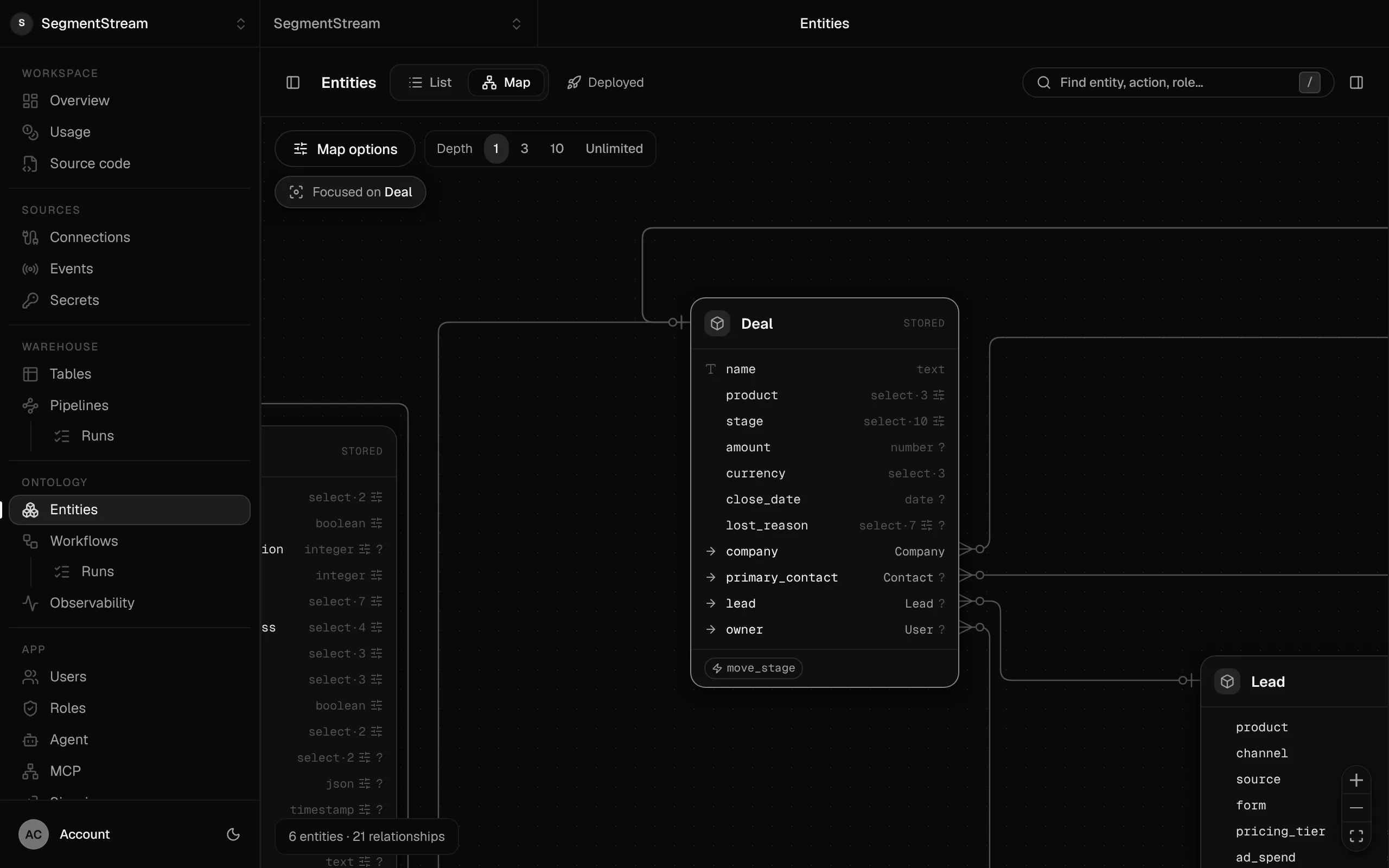
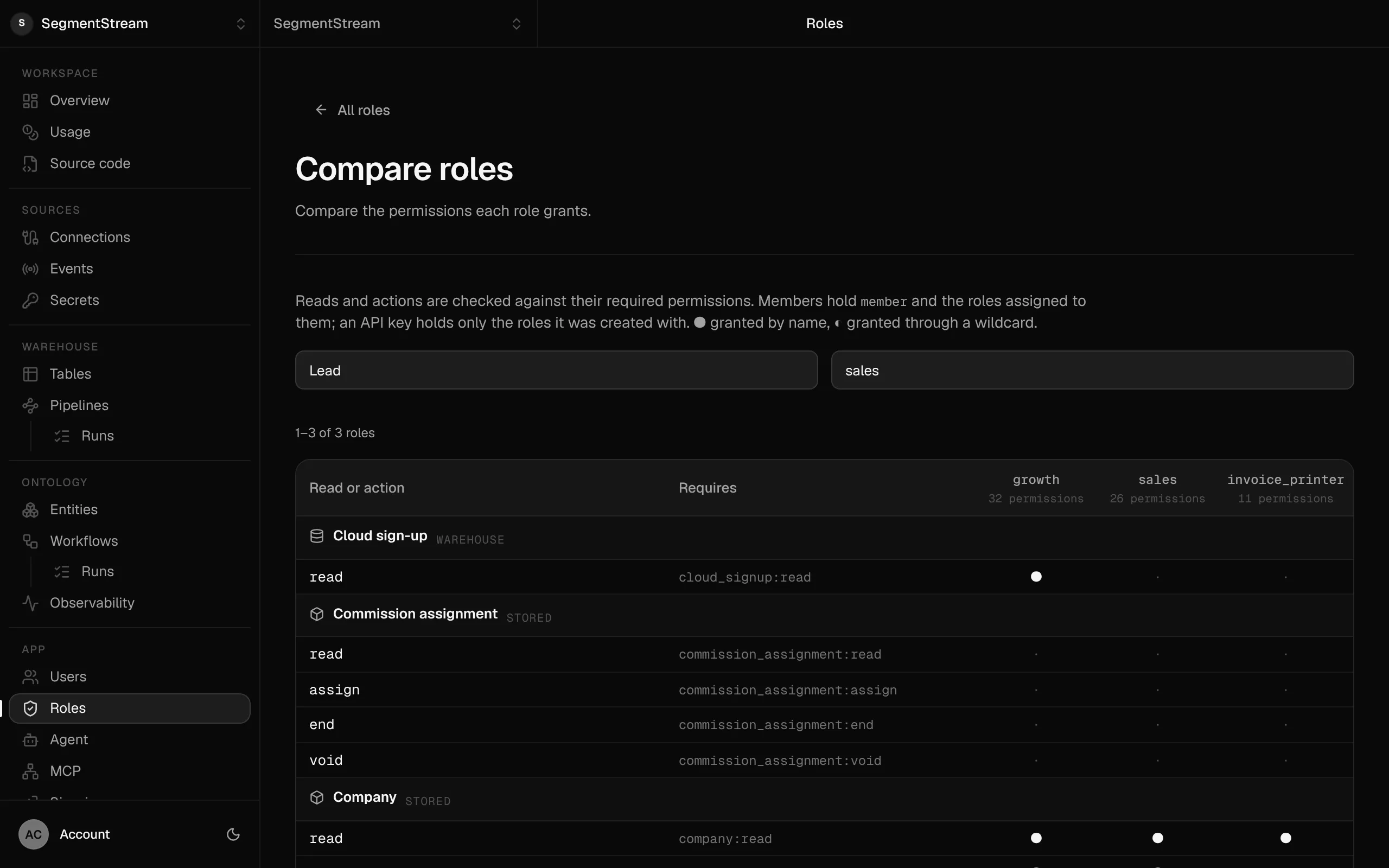
- The ontology in the console: a map, the records and a table of who may do what.
Entities, properties and relationships
An entity is a kind of thing your business runs on: Company, Contact, Deal, Order. Properties are the values each record holds, each of a set type, such as an amount, an email or a stage picked from a list. Relationships name how records connect, in both directions: a deal is with a company, and a company has deals.
Every entity, property, option, action and role carries a description in plain language. The console, the API reference and agents read the same text, so an agent knows what "qualified" means in your company before it moves a deal there.
Records live in your workspace's own Postgres database. Required properties, unique values and allowed options are checked on every write, whoever makes it.
Every change goes through an action
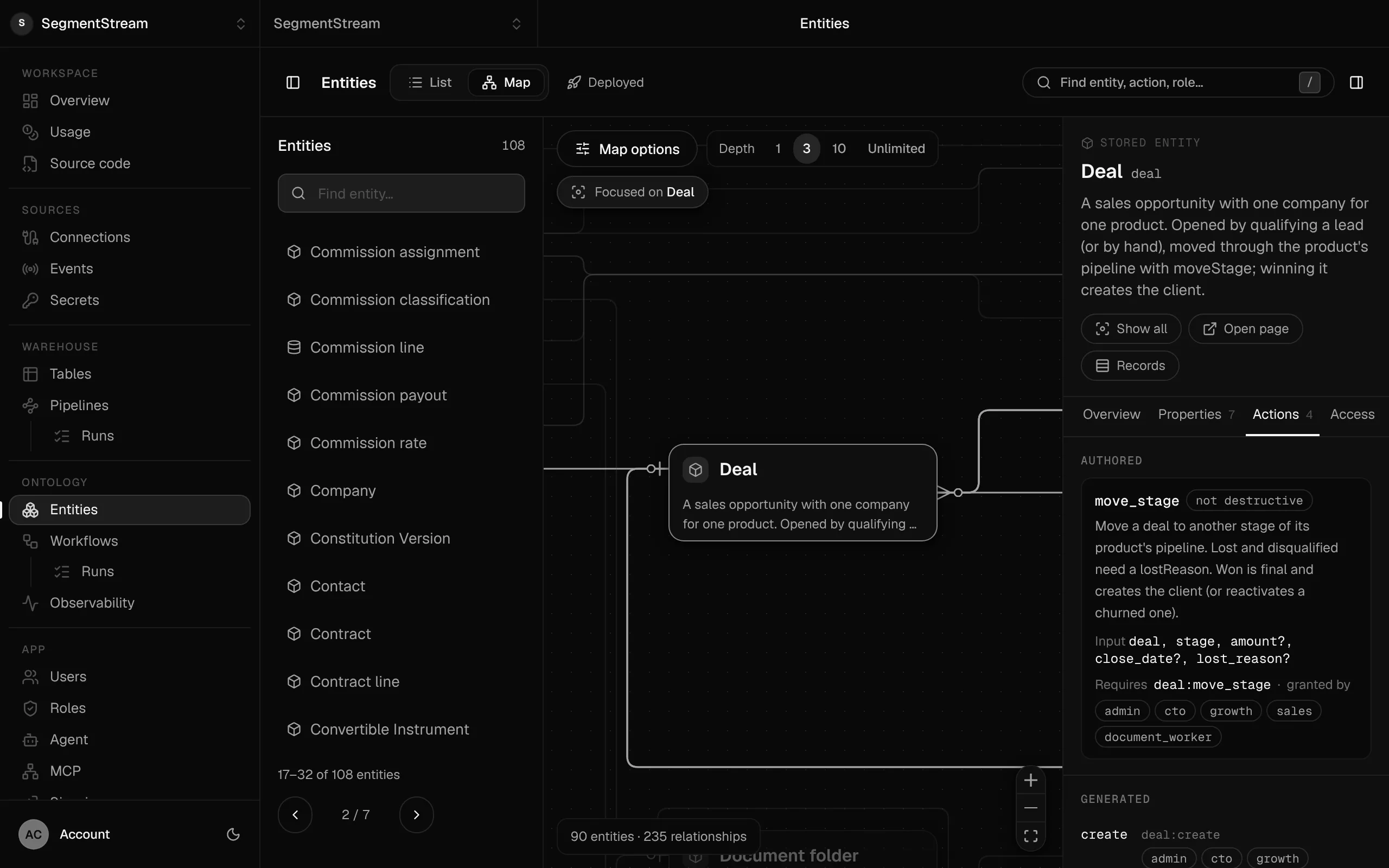
An action is a named operation with your business rules inside: qualify a lead, move a deal, approve an order. It is the only way to change a record.
- Generated or written by you. Each entity gets create, update, delete and upsert actions. You write the ones that carry business logic, and an entity can accept changes through your actions only.
- One transaction. The action checks its input and the caller's permission, runs your rules and saves, or saves nothing.
- History. Every change is kept with the action, who ran it, and each value before and after.
- Refusals an agent can act on. A refused action returns its own message, such as "A lost deal needs a reason", so the agent fixes its input and tries again. A dry run returns every problem without saving anything.
Roles and permissions
A permission is a read of an entity or the right to run one of its actions. A role is a named set of them, declared in your code: sales may read deals and move them, finance may approve invoices.
- The same for everyone. People, API keys, workflows and agents are held to the same roles. An agent a person connects acts as that person, with the roles they hold at that moment.
- Down to the record. A permission can cover only some records, such as the deals a person owns or the staff of their own division.
- Checked on the server. Every read and every action is checked by the ontology itself, whichever app, key or agent sends it. Hiding a button is only a convenience.
One model, every interface
Deploy an ontology and it is served three ways, from one code path:
- A REST API at /api/ontology, with an interactive reference at /api/ontology/docs.
- A typed SDK for your app's server code, generated from the same model.
- An MCP server at /mcp, where your team's AI tools sign in as the person and get tools only for what their roles allow.
A rule enforced in one is enforced in all three.
Decisions here, observations in the warehouse
A company's data has two kinds of value. What a person or an agent decides, such as a stage, an approval or a correction, is a record in the ontology, changed by an action. What a machine reports or a model computes, such as orders, spend or a forecast, is a table in your warehouse.
- Warehouse tables as entities. An entity can map a warehouse table and relate to your records, without copying it.
- Metrics, declared once. Count orders, sum revenue or divide one by another, with filters and relative periods, and ask for them by name, grouped by any property they reach. Every app, report and agent gets the same number.
- Records in the warehouse. Every record replicates to your BigQuery warehouse, so analysts join decisions made in the app with the rest of your data. Postgres stays the source of truth.
Changing the model safely
Every entity and property has a permanent id, so each deploy can tell exactly what changed.
- New entities, properties and options apply on their own.
- A rename keeps the data when you declare the old name.
- A removed property or entity keeps its values and history, and comes back if you declare it again.
- A changed type is refused before anything runs.
- If a step fails, nothing is applied and the running version stays live.
The ontology in the console
- The map: every entity and relationship as deployed. Focus on one to see its neighbours and open the descriptions agents read.
- Records: browse any entity, newest change first, with links between related records.
- Access: every read and action against every role, computed from your code.
Try it
Install SegmentStream:
curl -fsSL https://segmentstream.com/install.sh | shThen ask your coding agent (Claude Code, Codex, Cursor or another) to model your business. For purchasing it could be:
Model our purchasing in the SegmentStream ontology: suppliers,
purchase orders and their lines. An order moves from draft to
submitted, approved and received.

Anyone on the team can draft an order. Only finance can approve
one, and an order over 5,000 needs the CFO. A rejected order
needs a reason. Each person sees only the orders they drafted,
finance sees all of them.
Read more on the ontology page.