
Introducing Connections
Connect the tools your company runs on once, and your apps, data, workflows and agent use them without anyone handling a password or token.
Product · SegmentStream · 20 October 2026 · 4 min read
On this page
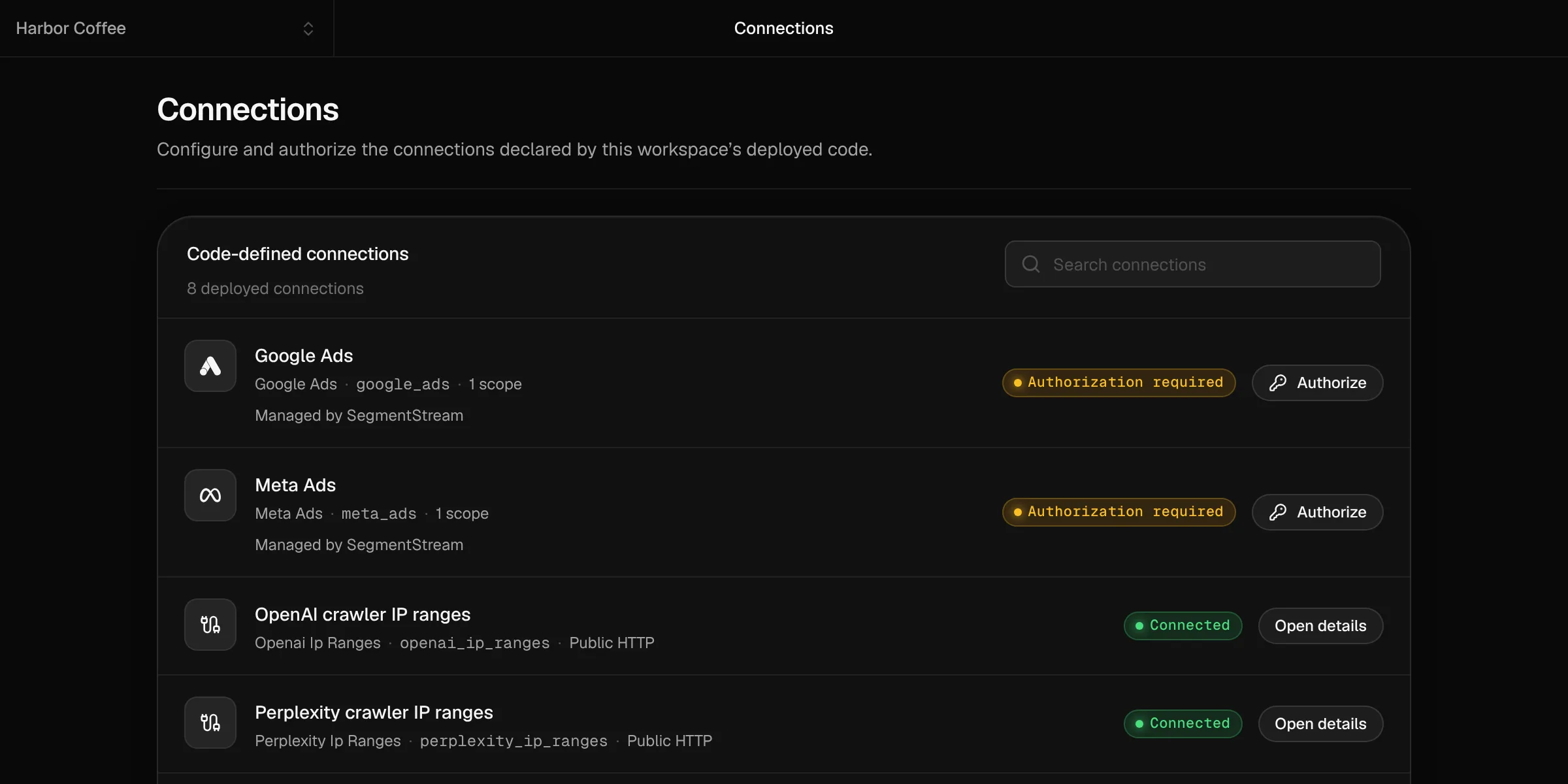
Your company already runs on other tools: ad accounts, a CRM, a bank, payments, a mailbox. With Connections, you connect each one once for the whole workspace, and everything you build uses it: your apps, your data pipelines, your workflows and your company agent. Nobody pastes an API key into code or a chat, and no agent ever sees a token, because the platform holds the credentials and makes the calls.
What's new
- Ready-made connections for the tools most companies run on, and setup steps for 100+ more.
- Sign in once, no developer setup for the providers SegmentStream has approved apps with.
- Any other API with a key, OAuth or client credentials.
- Credentials held by the platform, never in your code, your logs or an agent's context.
- Read-only when you want it: a read-only connection can never change anything at the provider.
- One connection, every use: pipelines, actions, workflows and the company agent.
- Any MCP server as a connection, with only the tools you allow.
Ready-made connections
Ask your coding agent to connect a tool, and it declares the connection in your repository. You authorize it in the console, and it is ready.
- Ads: Google Ads, Meta, Microsoft Advertising, TikTok, LinkedIn and X.
- Sales, marketing and messaging: HubSpot, Google Analytics, Google Sheets, Gmail, Slack, Telegram and WhatsApp.
- Money: Stripe, Xero, Mercury, Starling, Wise, Airwallex, Deel and crypto payment gateways.
- Commerce and the rest of your stack: Shopify, Supabase, Resend, Apollo, Apify, Vercel and Cloudflare.
The integrations page lists 100+ tools with the steps to connect each one, including the ones that connect through their own API with a key.
Sign in once
Google Ads, Meta, Microsoft Advertising, TikTok, LinkedIn, X, HubSpot, Google Sheets and Google Analytics connect through SegmentStream's own approved apps. A member clicks Authorize and signs in. There are no developer tokens to apply for and no app review to pass, and tokens refresh on their own.
Where a provider allows it, you can connect through your own app or a token you supply instead. That changes only how the credential is obtained, never what the connection can do.
Any other API
A tool without a ready-made connection connects in a few lines your coding agent writes: an API key, OAuth or client credentials, and the address of its API. A member sets the key on the connection's page in the console; it is never returned, never shown again and never committed.
Read-only when you want it
Declare a connection read-only, and the platform refuses every request that would change something at the provider, before it is sent. A reporting pipeline can read your ad accounts or your accounting with no way to change a campaign or post a journal, whatever the token allows.
One connection, every use
The same connection serves everything in the workspace:
When a provider changes its key, you update it in one place, and every app, pipeline and agent keeps working.
Any MCP server as a connection
A provider's MCP server can be a connection too. You list the tools the workspace allows, and nothing else can be called. A tool can be pinned to fixed values, such as creating issues in one repository only. Your company agent and your team's AI tools then use them under the same roles as everything else, through your ontology.
Try it
Install SegmentStream:
curl -fsSL https://segmentstream.com/install.sh | shThen ask your coding agent (Claude Code, Codex, Cursor or another) to connect your tools. It could be:
Connect our Google Ads, Meta Ads and Shopify to our SegmentStream
workspace, read-only, and load yesterday's spend and orders into
the warehouse every morning. Also connect Stripe, so that when a
deal is won we create the customer there.
Read more on the Connections page.