
Audiences, campaigns and reporting on the same records as sales.
Contacts, segments, campaigns and journeys on the same records as sales and support, sent through your own email provider with consent checked on every send. Ad cost and conversions sit in your warehouse, so every channel is judged on revenue.
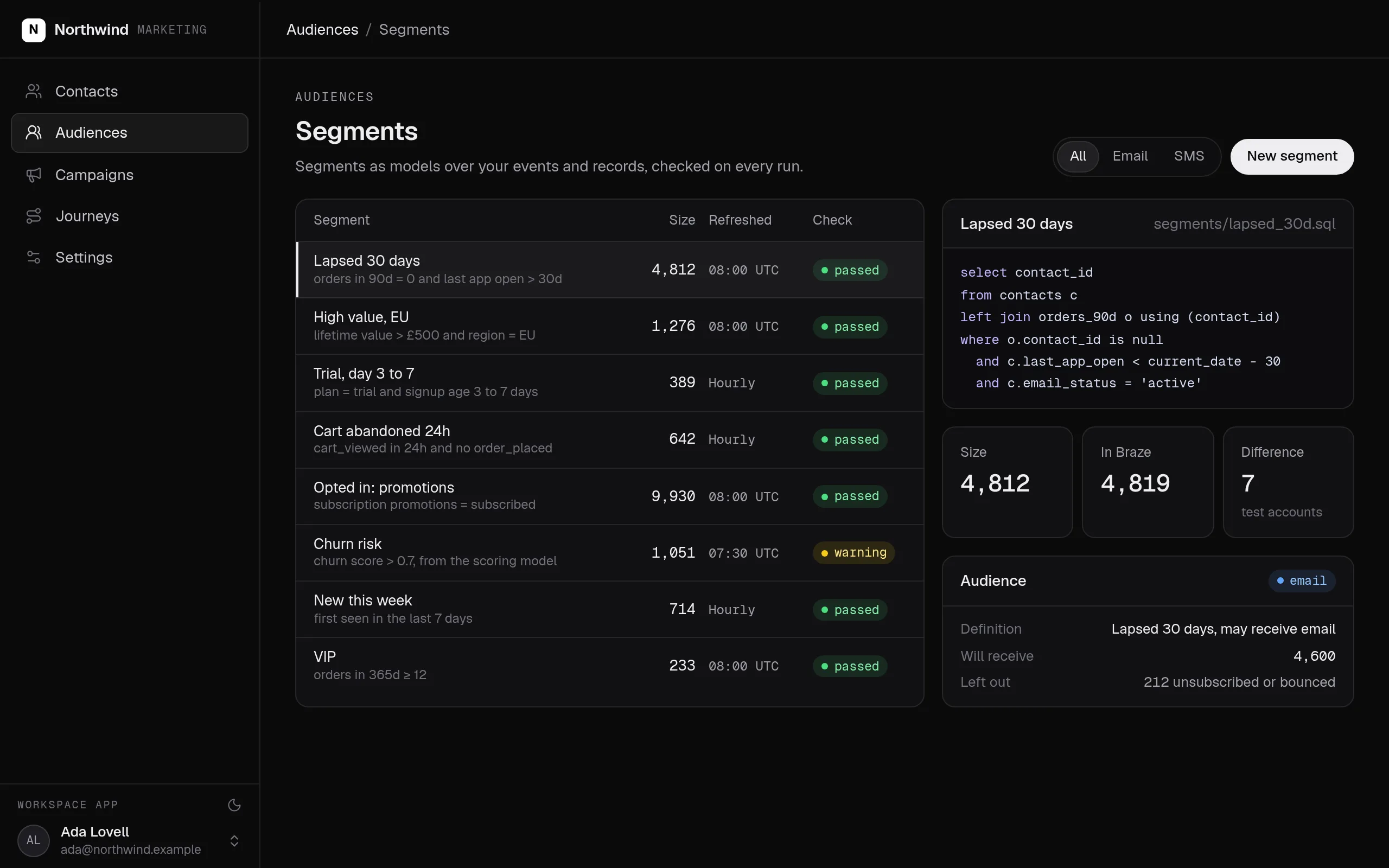
Segments built from your own data, checked on every refresh, and audiences that leave out anyone who may not receive the message.
Swipe the screen sideways to see all of it.
Marketing: what it does
Connect your email provider and ad accounts, then tell your agent who you market to and who approves. It writes the segments, the campaign actions and the pages.
- Contacts carry their company, deals, orders and consent, on the same records sales and support work.
- Segments are definitions over your own data, refreshed and checked, never a stale export.
- Campaigns and journeys go out through your own email provider, after the role you choose approves them.
- Every send leaves out anyone unsubscribed, bounced or complained, because the send action checks consent.
- Ad cost, sessions and conversions sit in your warehouse, so reports show revenue by channel.
- The company agent drafts campaigns and builds segments for the marketer, within the marketer's role.
What it covers
One view of each customer
Every contact with their company, deals, orders, tickets and consent, on the same records sales, support and finance work.
Segments and audiences
Segments are definitions over your own data, refreshed and checked, so a list is never a stale export.
Campaigns and journeys →
Newsletters, campaigns and lifecycle journeys sent through your own email provider, with approval before anything goes out.
Consent on every send
Subscriptions, unsubscribes, bounces and complaints recorded on the contact, and checked on every send.
Attribution and reporting →
Ad cost, sessions and conversions joined in your warehouse, so each channel is judged on revenue, not clicks.
Work with the agent →
The company agent drafts campaigns, builds segments and reports results, with the permissions of the marketer it works for.
Built from typed blocks
No new product to buy: the blocks below, written by an agent into your workspace's repository and deployed with one command.
$ segmentstream deploy
Every block ships together from one git repository your company owns. SegmentStream runs it.
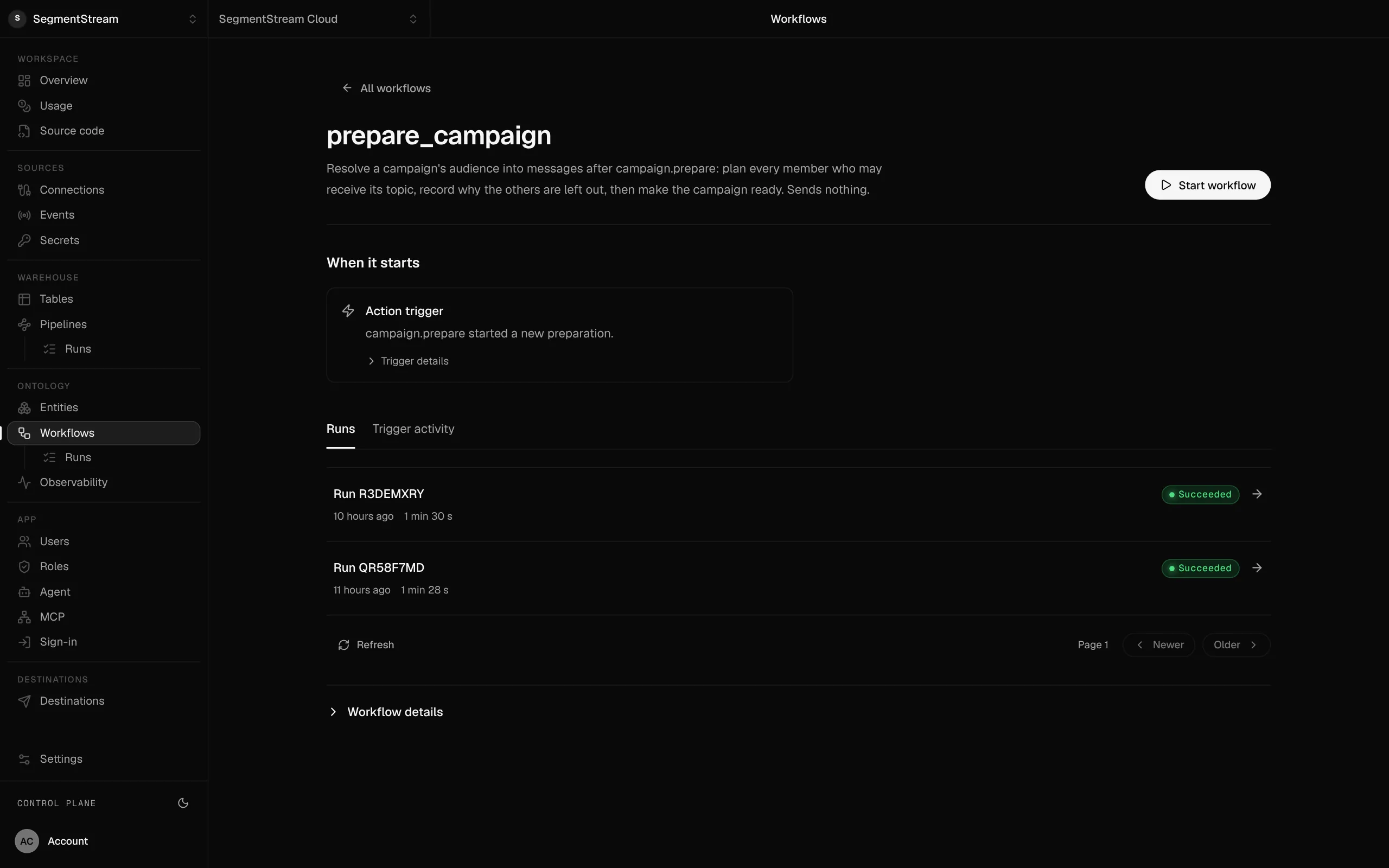
Each campaign workflow with its trigger and runs.
What starts it, what it did and how long it took, kept for every run.
Enterprise, with our engineers
Our engineers move your contacts, lists and consent records in, connect your email provider and ad accounts, and build the segment, campaign and reporting pages with your team.
Self-serve, with your own agent
Connect your email provider and ad accounts, then tell your agent who you market to and who approves. It writes the segments, the campaign actions and the pages.
curl -fsSL https://segmentstream.com/install.sh | shRelated solutions
Questions
Which email provider does it use?
Your own provider, such as Amazon SES, Resend, SendGrid or Postmark, sending from your domain.
How is consent kept?
On the contact, with the date and source of every change. The send action reads it, so an unsubscribed or bounced address never gets a campaign, whoever sends it.
Can the agent run campaigns?
Yes. The agent can draft a campaign, build a segment or summarise results. Approval and sending stay with the roles you choose.
Rather have it built for you? Start a pilot.
Our engineers move your contacts, lists and consent records in, connect your email provider and ad accounts, and build the segment, campaign and reporting pages with your team.
- One solution, on your data, in your own workspace
- First version live in two weeks
- Parity proven before anything is switched off
- Fixed scope and price, credited to your contract if you continue
Not ready for a pilot? Send the form anyway with your question. An engineer will reply, not a sales rep.
How the pilot worksBuild your company’s own software. Let agents run it.
$ segmentstream workspace create acme --region eu --subdomain acme
▸ Created workspace acme · database, warehouse and a private git repository
$ segmentstream workspace WORKSPACE-ID clone acme && cd acme
▸ your coding agent builds what your team asked for and runs the checks
$ git add -A && git commit -m "First version"
$ segmentstream deploy
▸ app, company agent, API and MCP tools live for your invited members
Our engineers build the first version on your data in two weeks, at a fixed price.
Or build it yourself with your coding agent:
curl -fsSL https://segmentstream.com/install.sh | sh