
Introducing Agent Inbox
Build an agent to talk to your customers on every channel, transferring chats to your team when needed.
Product · Pavel · 22 November 2026 · 5 min read
On this page
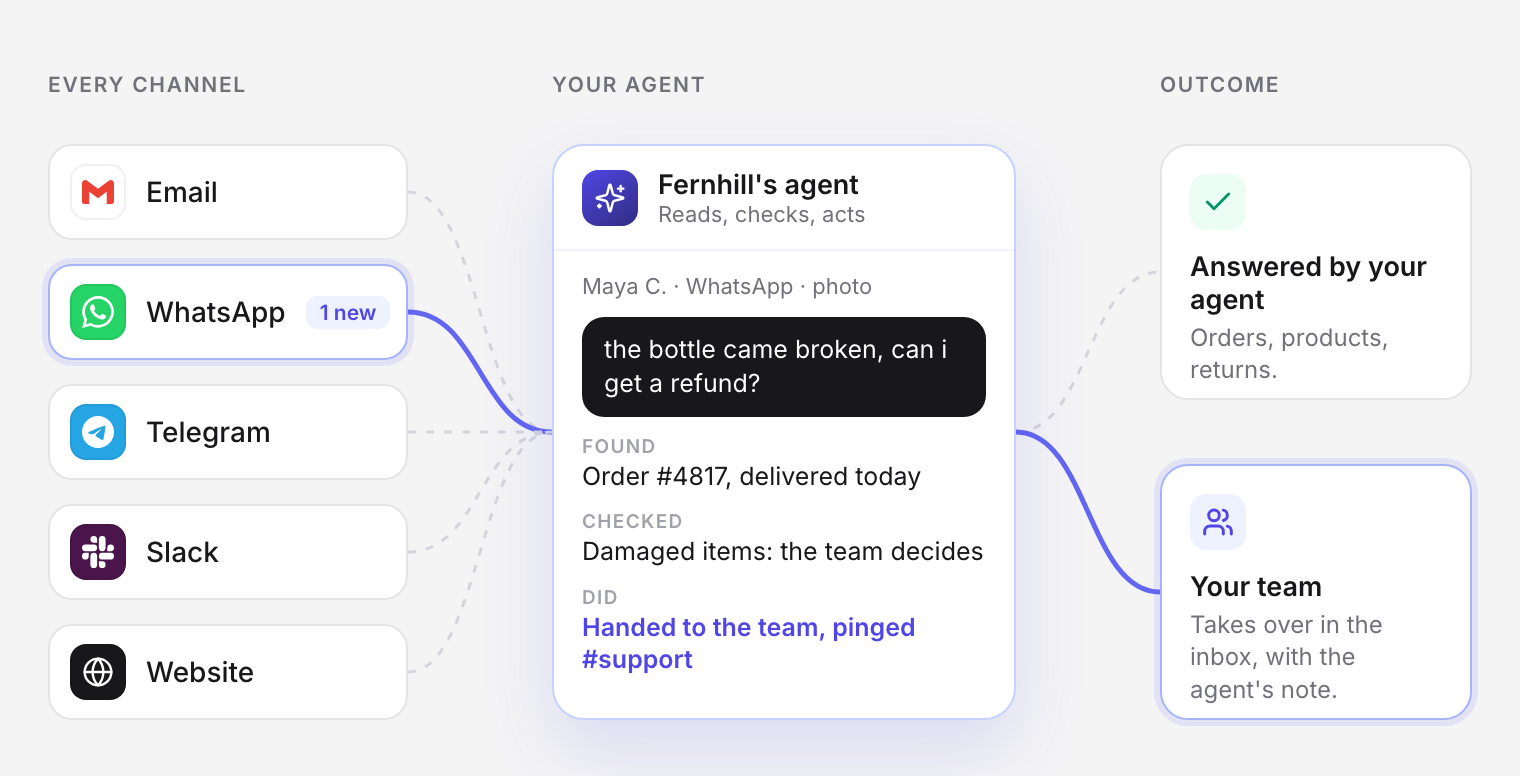
Agent Inbox lets the agent you build on SegmentStream talk to your customers on every channel, with your team ready to step in. It's the same agent, with the same data and rules. It answers what it can, and hands the rest to people in a shared inbox, with reply review and outbound messages on top.
What's new
- Every channel, one customer. WhatsApp, Telegram, Slack, email and a chat on your website, with one history per customer.
- Inbox and handover. The agent passes a chat to your team when a person should answer. Your team can take over any chat and hand it back.
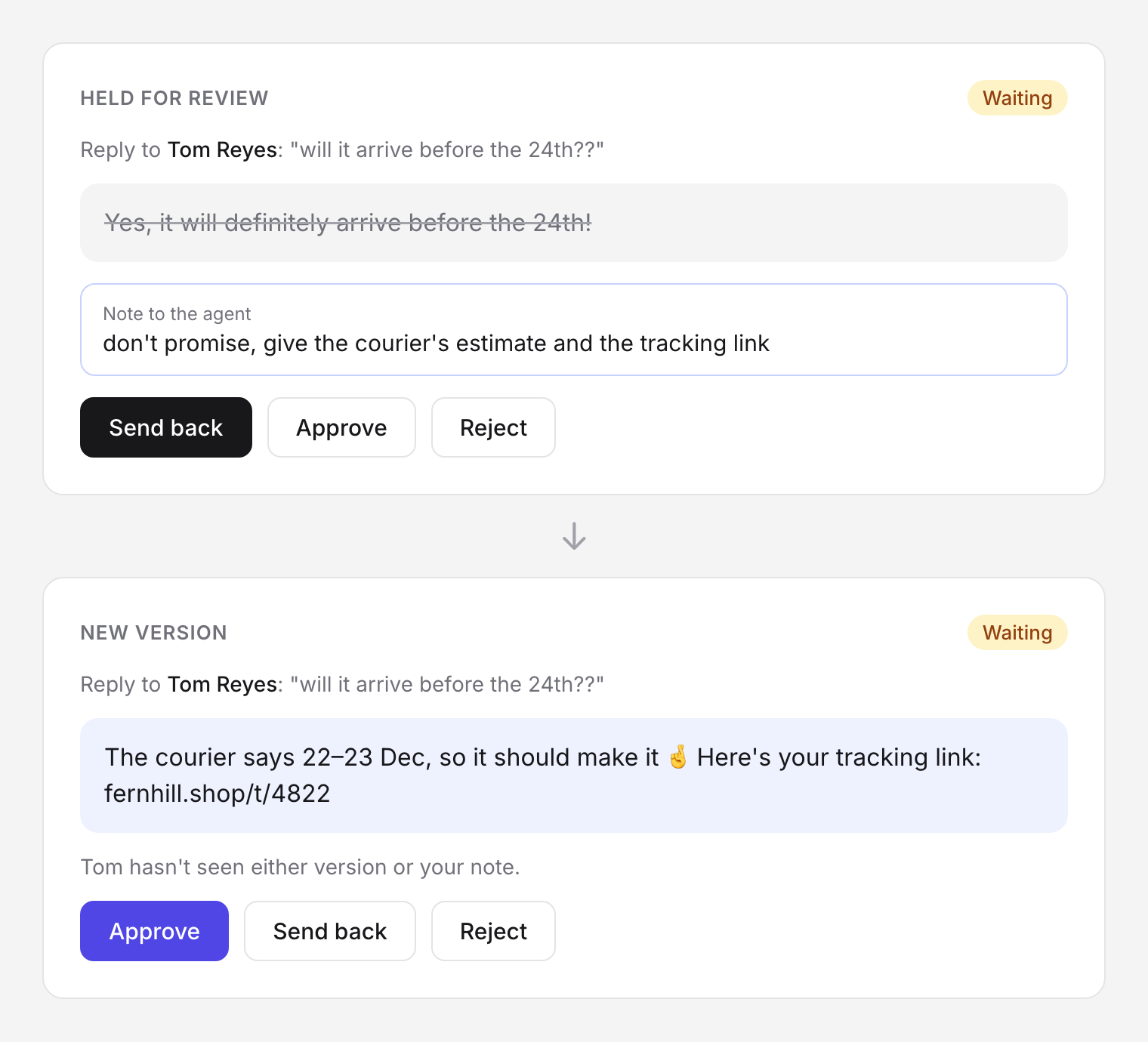
- Reply review. Hold replies for approval by customer type, or only when the agent isn't sure. Send one back with a note and the agent rewrites it.
- Outbound messages. Your agent can write to a customer first, not only reply: back in stock, order delayed, cart left behind.
- Buttons in every channel. Put your own buttons under any message. A press runs an action you chose.
- Chat history import. Bring conversations from the tool you used before.
- Conversations in your warehouse. Chats, held replies and feedback land next to the rest of your data.
Every channel, one customer
Your agent answers on WhatsApp, Telegram, Slack, email and your website.
- A person who writes for the first time gets the role you chose, such as customer or lead.
- The same person on another channel is the same customer, with the same history.
- The agent reads photos, documents and voice messages and files them on the right record.
It answers and acts on your data
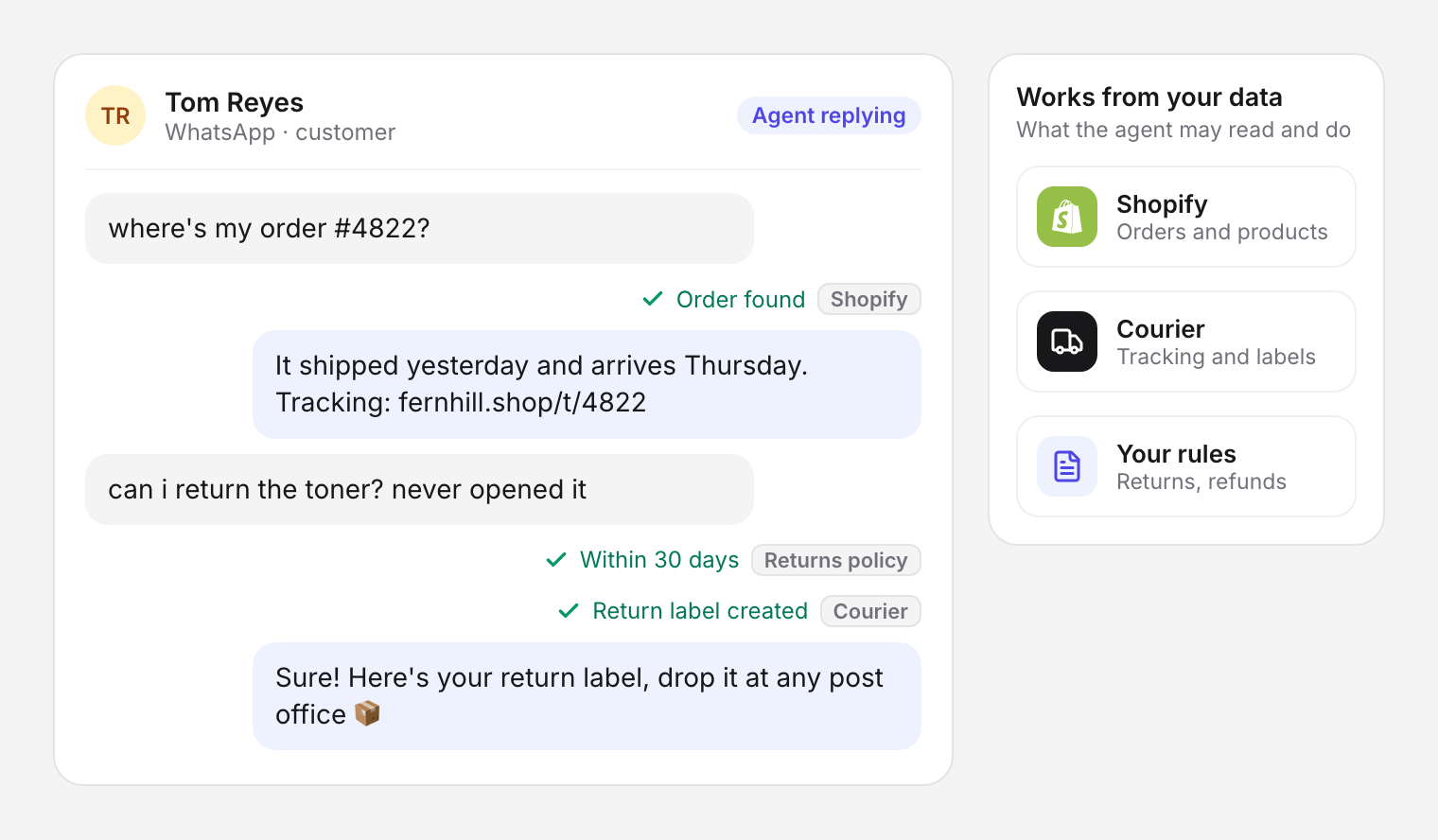
Most customer questions need something from another system: an order in your store, a tracking number, your returns policy. Your agent reads them while it answers, and does what you allowed it to.
- Checks orders, stock and tracking in your store and the services you connect.
- Follows your rules, such as your returns window, written in its instructions.
- Takes only the actions you gave it, like sending a return label. Each one is recorded with who it was done for.
- Shows each customer only their own records. The check runs on the server for every message, whatever the agent is asked.
Inbox and handover
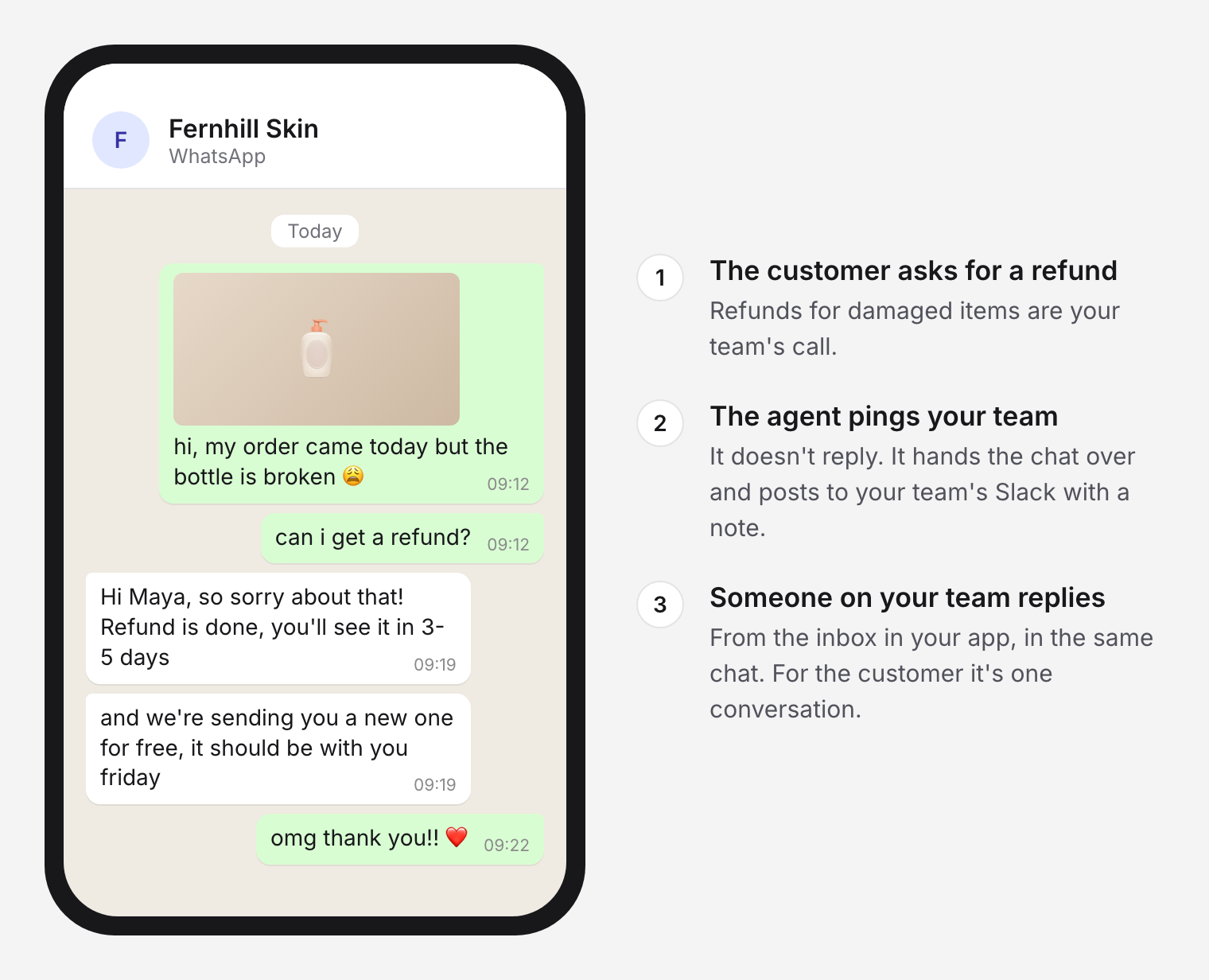
Some messages need a person: a refund, a complaint, a discount. You decide which ones in the agent's instructions.
When one comes in, the agent doesn't answer it. Instead it:
- hands the chat to your team,
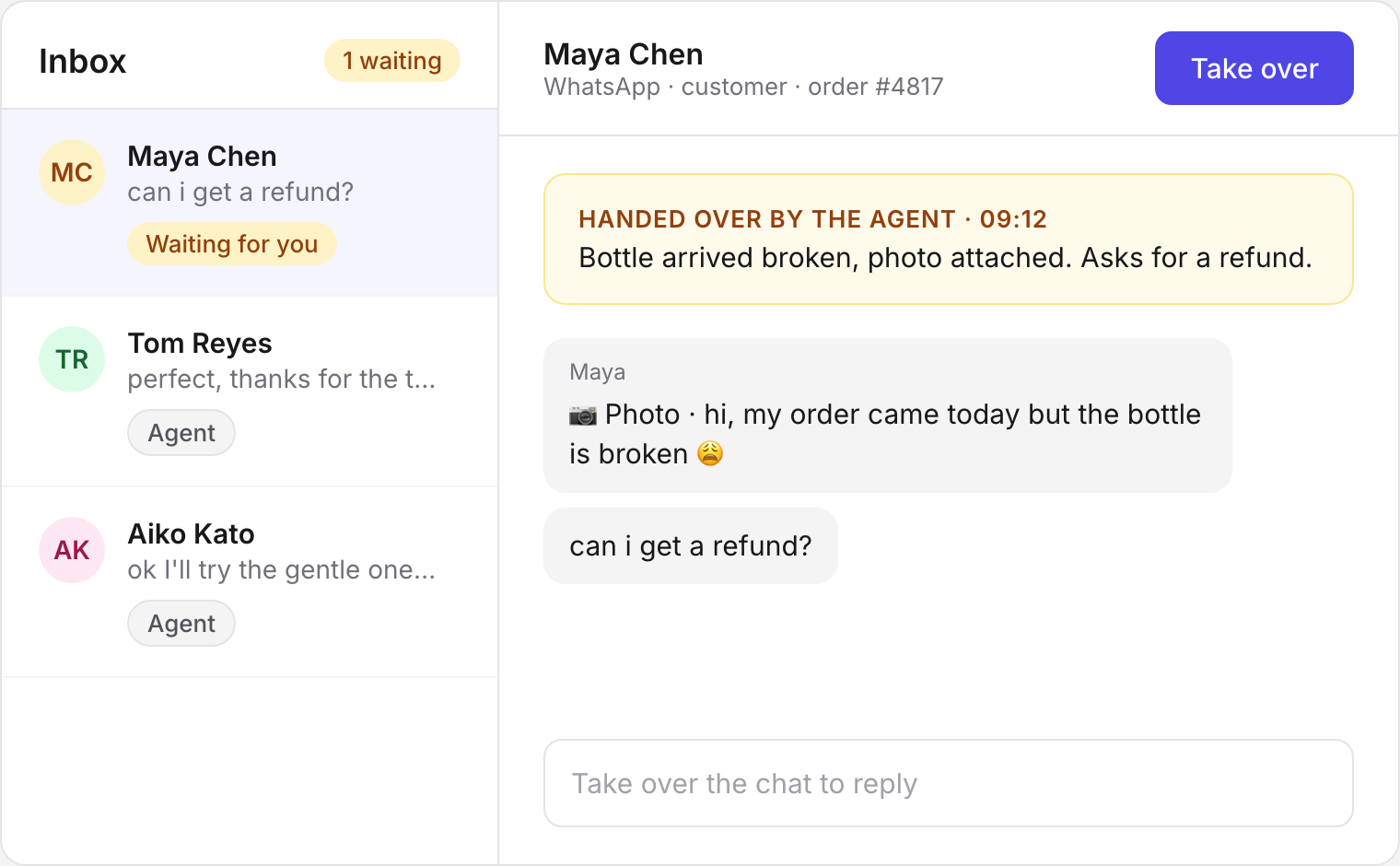
- leaves a note in the inbox on what the customer needs,
- pings your team, for example in Slack.
Your team takes over from the inbox in your app and replies from the same number. They see everything the agent already found and did, so the customer never has to repeat themselves. When they hand the chat back, the agent carries on with everything that was said. For the customer it stays one conversation.
Reply review
Choose who sends each reply, per type of customer:
- The agent, at once. For customers you trust it with.
- A person, always. For example for new leads.
- A person, when the agent isn't sure. A second model scores each reply and holds the doubtful ones.
New in this release: a rejection carries a reason, and Send back returns a reply to the agent with your note. It writes a new version in a separate session, so the customer never sees the draft or the note.
Outbound messages
Your agent can write to a customer first when something happens in your business:
- an item they asked about is back in stock,
- their order is delayed,
- they left a cart behind.
You set the trigger in a workflow, and the message goes out in the agent's name, in the customer's usual chat. When the customer replies, the agent knows what they're replying to.
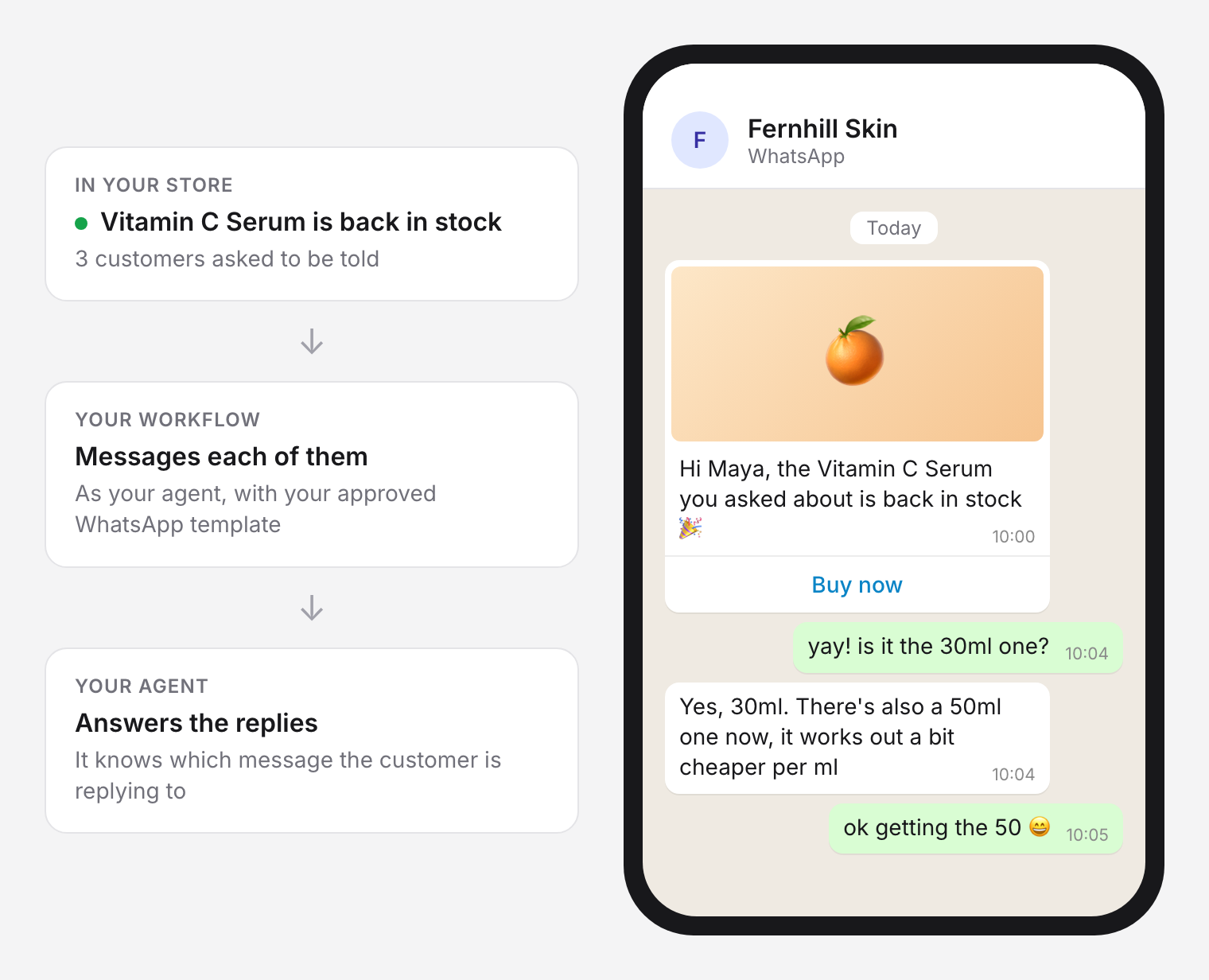
- On WhatsApp, a customer who hasn't written in 24 hours can only get a template Meta approved. Templates can carry an image, variables and buttons.
- If a message isn't delivered, you get the reason: blocked, opted out, or not on WhatsApp.
Buttons in every channel
Put Confirm, Book a call or Buy now under any message. Each channel shows them its own way: an inline keyboard in Telegram, buttons in Slack, reply buttons in WhatsApp. One action handles a press from any channel, as the person who pressed it.
Chat history import
Moving conversations from another tool? Import a chat's earlier messages and the agent and your team start with the full history. Replies your team sends from the WhatsApp Business app on a phone now join the chat too.
Conversations in your warehouse
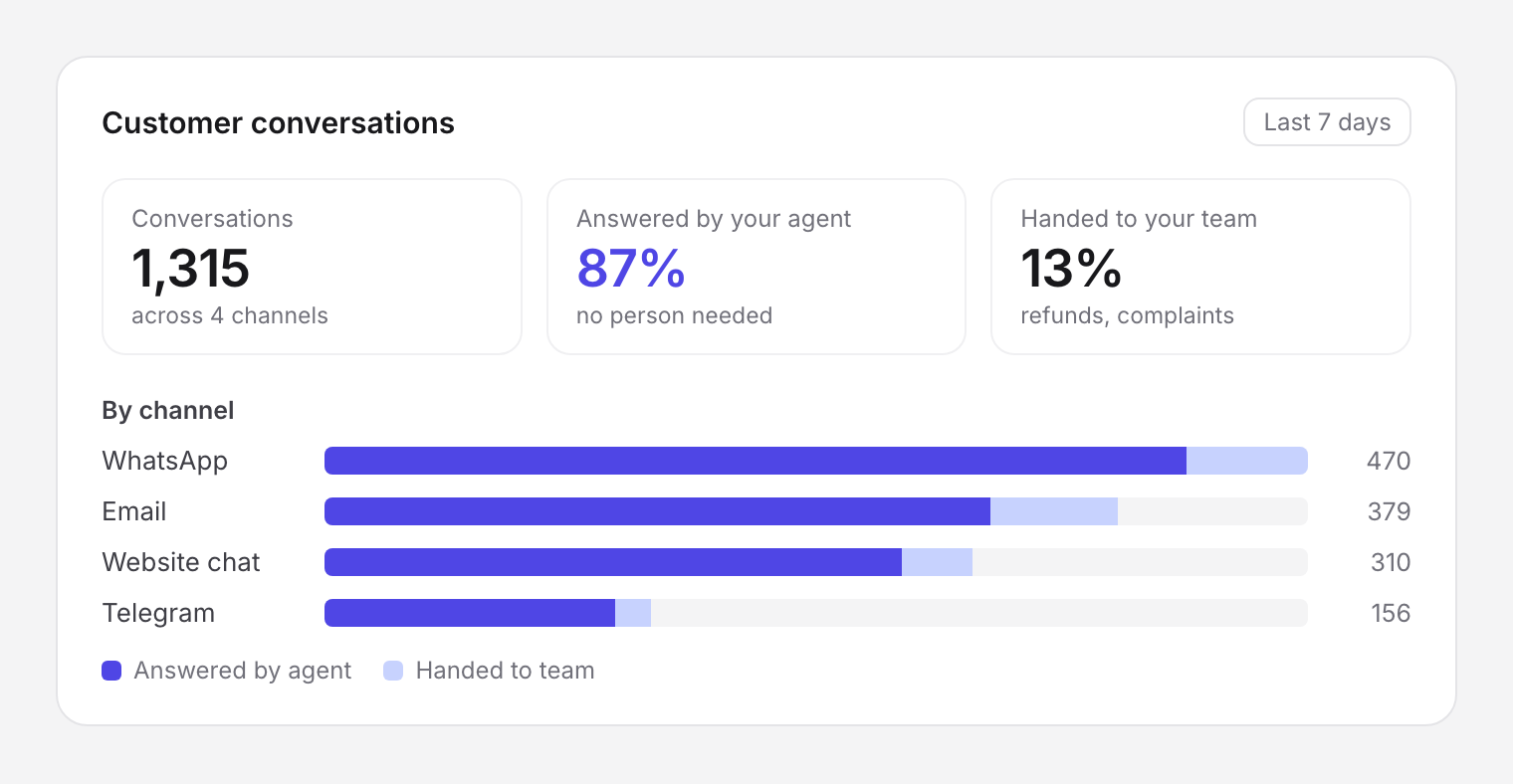
Chats, held replies and feedback now replicate to your warehouse, next to your orders and website visits.
- See how many conversations the agent answered and how many needed a person.
- Break it down by channel, by customer or by topic.
- Join conversations to orders, to see which chats led to a sale.
Try it
Install SegmentStream:
curl -fsSL https://segmentstream.com/install.sh | shThen ask your coding agent (Claude Code, Codex, Cursor or another) to set it up. For an online shop it could be:
Set up our SegmentStream agent to talk to the customers of our
skincare shop. Our store runs on Shopify. Customers write on
WhatsApp, by email and in a chat on our website.

The agent tells customers where their order is, answers product
questions from our product pages, and sends return labels within
30 days.

Refunds, damaged items and complaints: don't reply. Hand the chat
to us and ping #support in Slack. We answer from an inbox in our
app, and our replies go out without a signature.
Already have a SegmentStream agent? Ask your coding agent to upgrade the project and turn on what you need.