
Build your own AI agents for sales, support and operations.
One agent per workspace, on your company’s records and rules. It talks to customers on WhatsApp and Telegram and to your team in its chats, works with the permissions of whoever it talks to, and lets a person review what matters. Your coding agent builds it in your repository, or our engineers build it with you.
Start with the work that waits on people
The same agent, set up for one audience: who may talk to it, the persona they meet, what it may do and when a person reviews a reply.
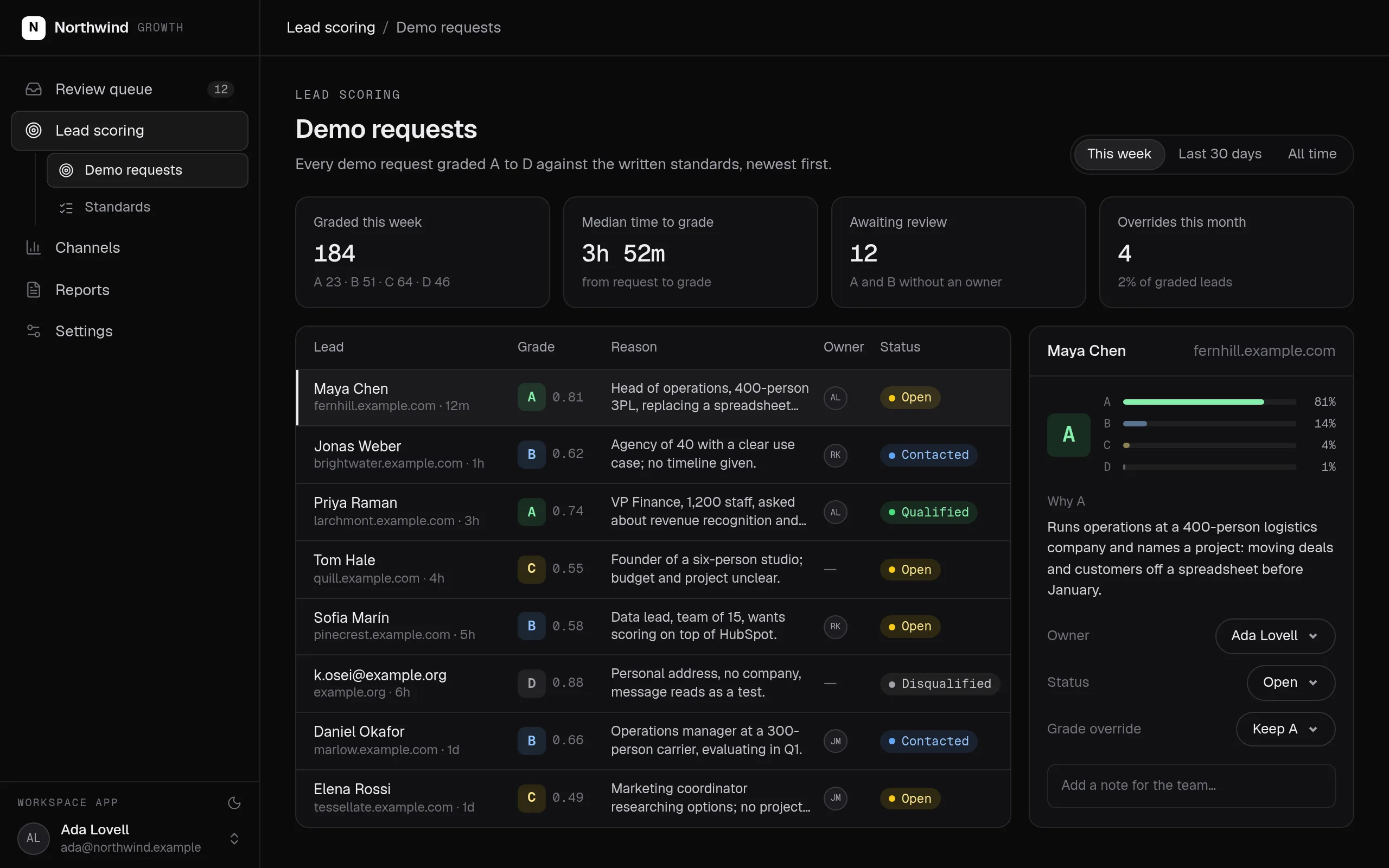
AI sales agent
Answers and qualifies leads on WhatsApp and Telegram, on your CRM.
Replaces AI SDR tools, Website chat widgets, WhatsApp Business inbox apps
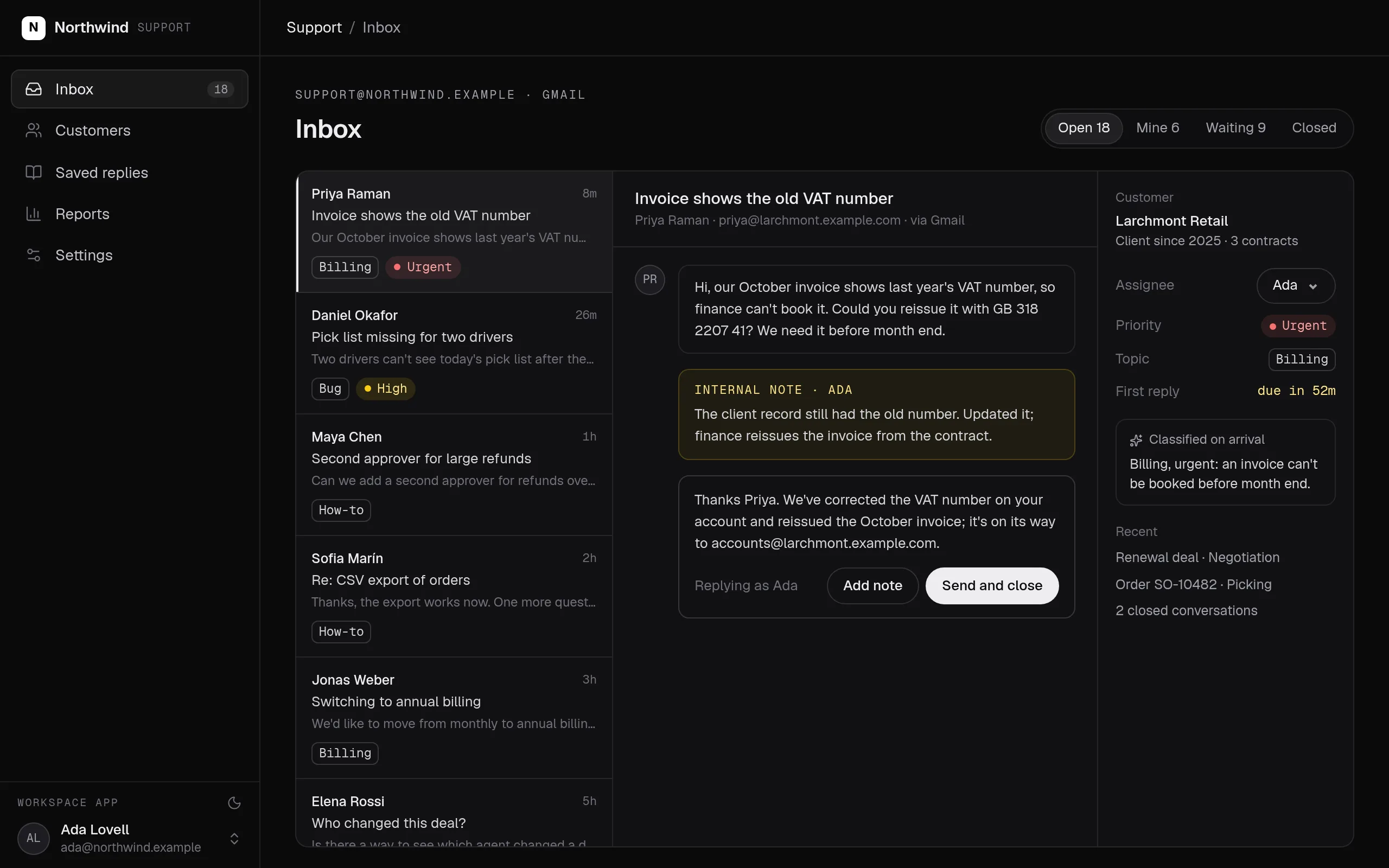
AI support agent
Answers customers from their own records, with review.
Replaces Intercom Fin, Zendesk AI agents, Scripted chatbots
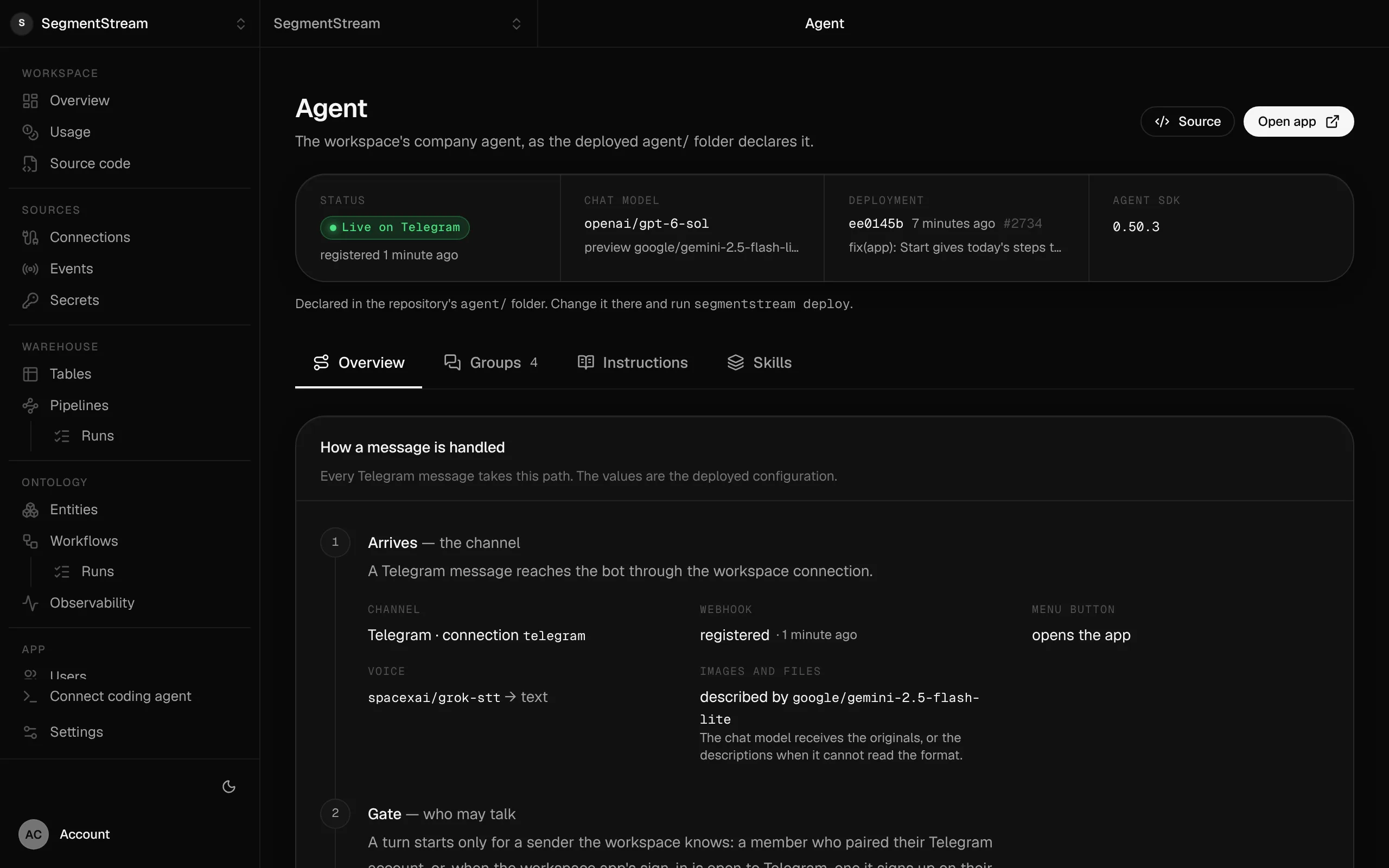
AI operations agent
Runs routine work and answers your team in its chats.
Replaces Microsoft 365 Copilot, ChatGPT Enterprise, Slack AI
WhatsApp AI agent
Answers customers on your WhatsApp number.
Replaces WhatsApp chatbot builders, A shared WhatsApp phone, Per-conversation chatbot fees
Telegram AI agent
Your bot in your team’s Telegram groups.
Replaces Telegram bot builders, One bot per tool, Bot tokens in code
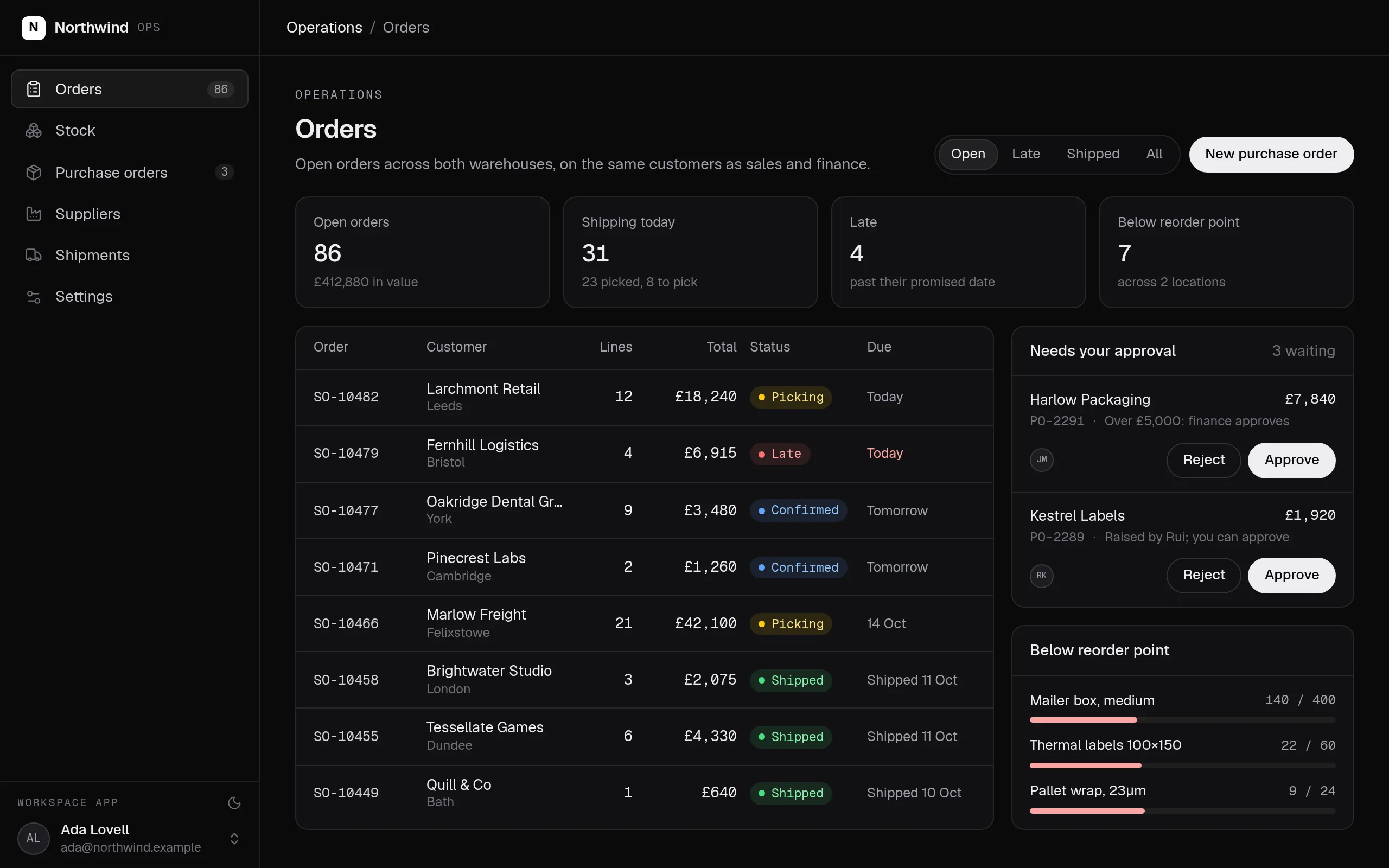
Slack AI agent
Works in Slack threads with each member’s permissions.
Replaces Slack AI, One Slack bot per tool, Bots with a shared service account
What every agent gets
The permissions of whoever is talking
The agent works with the roles of whoever it talks to: a member of your team, or a customer who signed up. Every read and every change is checked on the server, whatever the model is asked.
Personas and skills by role
Customers meet your sales or support persona; your team meets the company assistant. Skills such as refunds or month-end close load only for the roles you list.
A person in the loop
Replies to customers can wait for a person, always or only when the agent is unsure, and every change that matters waits for the person asking to confirm it.
Where people already talk
Customers sign up on WhatsApp, Telegram or by email in your app. Your team works with it in Slack, Teams, WhatsApp, Telegram and email, and inside your own apps.
On your own records and rules
It answers from your records and metrics, changes them only through your actions, and uses the services you connect as tools under the same roles.
Any model, every turn on record
Every major model, chosen per role, with no API key to manage. Every conversation is kept, and every change names who the agent acted for.
Declared in code you own
Who may sign up, the persona each person meets and who sends each reply are a few lines in your workspace’s repository, reviewed and deployed like the rest of your code.
// Who may talk to the agent without an invitation
signUp: {
  channels: ["email", "telegram", "whatsapp"],
  roles: [client],
  byChannel: { whatsapp: [lead] },
},
onSignUp: "client:ensureMine",{
"personas": {
"byRole": { "sales": "assistant", "lead": "seller" },
"default": "seller"
},
"review": {
"byRole": {
"lead": { "mode": "whenUnsure", "minConfidence": 0.9 },
"client": { "mode": "always" }
},
"default": { "mode": "never" }
}
}Build your own from the Company agent blueprint.
The Company agent blueprint gives Claude Code, Codex or Cursor the design, the questions to ask you, the rules that must always hold and their tests. Paste this prompt and your agent builds your own version on SegmentStream, shaped to how your company works.
Read https://github.com/segmentstream/build-your-own/blob/main/AGENTS.md and follow it.
Build our company agent from the company-agent blueprint.
Questions
Can I build my own AI agent for my company?
Yes. Your coding agent, such as Claude Code, Codex or Cursor, writes the agent into your workspace’s repository: who may talk to it, the persona each person meets, what each role may do and when a person reviews a reply. One command deploys it with your apps, records and workflows.
Can the agent show one customer another customer’s data?
No. The agent reads and changes data with the roles of the person it is talking to, checked on the server for every request. A customer who signed up holds only the role you name, scoped to their own records.
How do I keep a person in the loop?
Set review by role: never, always, or only when the agent is unsure. A reply waiting for review reaches the customer after a person approves or edits it. Changes that matter wait for the person asking to press Confirm.
Which channels does it work in?
Customers on WhatsApp, Telegram and by email in your app; your team in Slack, Teams, WhatsApp, Telegram and email, and inside your own apps. One agent serves them all, with a persona for each audience.
What does an AI agent cost on SegmentStream?
There is no seat, per-conversation or per-resolution fee. The agent’s work is billed in SSU under Agent, and the models it calls at each provider’s list price, with no markup.
Rather have it built for you? Start a pilot.
Our forward-deployed engineers build one solution on your data, in your own workspace, as code you own. Tell us what you run today and what you want; your note goes straight to our founder.
- One solution, on your data, in your own workspace
- First version live in two weeks
- Parity proven before anything is switched off
- Fixed scope and price, credited to your contract if you continue
Not ready for a pilot? Send the form anyway with your question. An engineer will reply, not a sales rep.
How the pilot worksBuild your company’s own software. Let agents run it.
$ segmentstream workspace create acme --region eu --subdomain acme
▸ Created workspace acme · database, warehouse and a private git repository
$ segmentstream workspace WORKSPACE-ID clone acme && cd acme
▸ your coding agent builds what your team asked for and runs the checks
$ git add -A && git commit -m "First version"
$ segmentstream deploy
▸ app, company agent, API and MCP tools live for your invited members
Our engineers build the first version on your data in two weeks, at a fixed price.
Or build it yourself with your coding agent:
curl -fsSL https://segmentstream.com/install.sh | sh