
Introducing Company Agent
One AI agent for your whole team, acting with each person's roles.
Product · SegmentStream · 17 November 2026 · 3 min read
On this page
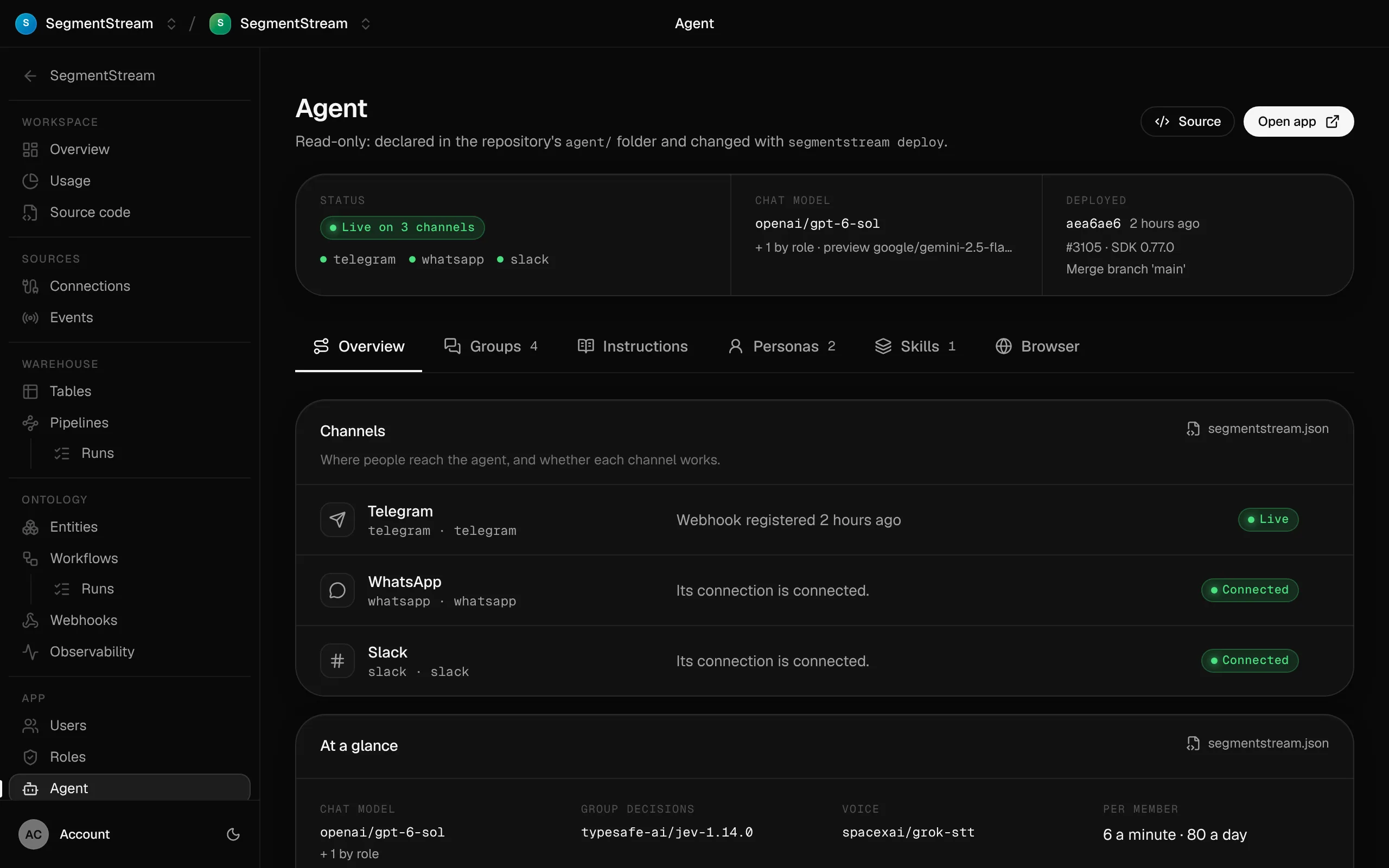
Company Agent is one AI agent for your whole team. It works in the chats your team already uses, Telegram, Slack, WhatsApp and email, and inside your own app. It knows your company's records through the ontology, and it acts as the person who asks, with exactly that person's roles. It confirms before anything that can't be undone, and every change it makes is recorded under that person's name.
What's new
- One agent in Telegram, Slack, WhatsApp, email and your own app.
- It acts as the person who asks, with their roles at that moment.
- It confirms before anything that deletes data or can't be undone.
- In group chats it answers when it's needed and keeps the rest as context.
- Different instructions, skills and models for different roles.
- Workflows can hand it tasks in plain words.
- Every action it takes is in the agent logs.
Where it works
The agent answers in Telegram, in Slack threads and direct messages, on a WhatsApp number and from a connected Gmail mailbox such as sales@. Members can also talk to it on a page of your app, signed in as themselves.
One agent can run several bots, numbers or mailboxes, each with its own settings. For any other messenger, you add a channel in your own code, and it works like the built-in ones.
As the person who asks
Each person connects once. The first time someone writes from Telegram, Slack or WhatsApp, the agent sends a link to sign in to your app. From then on it acts as that member, with the roles they hold at that moment.
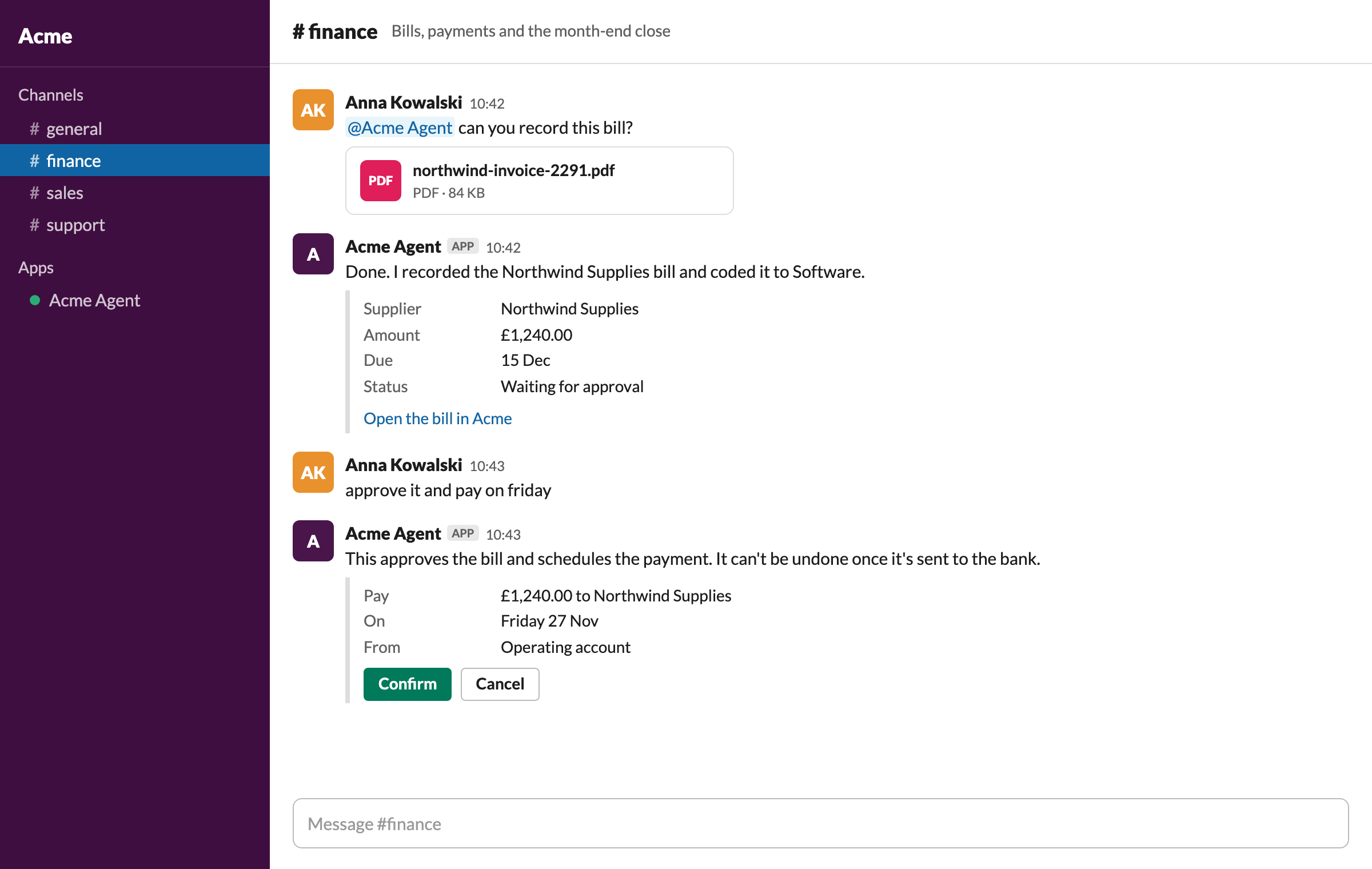
So a finance manager can ask it to record a supplier bill, and a salesperson asking the same thing is refused. Every change appears in the history under the member's name. Deactivate a member and the agent stops acting for them at once.
Asks before it acts
Before an action that deletes data or can't be undone, the agent shows the change with Confirm and Cancel buttons. Only the person who asked can press them. Each action describes its own confirmation, in the chat's language, with the facts worth checking.
In group chats
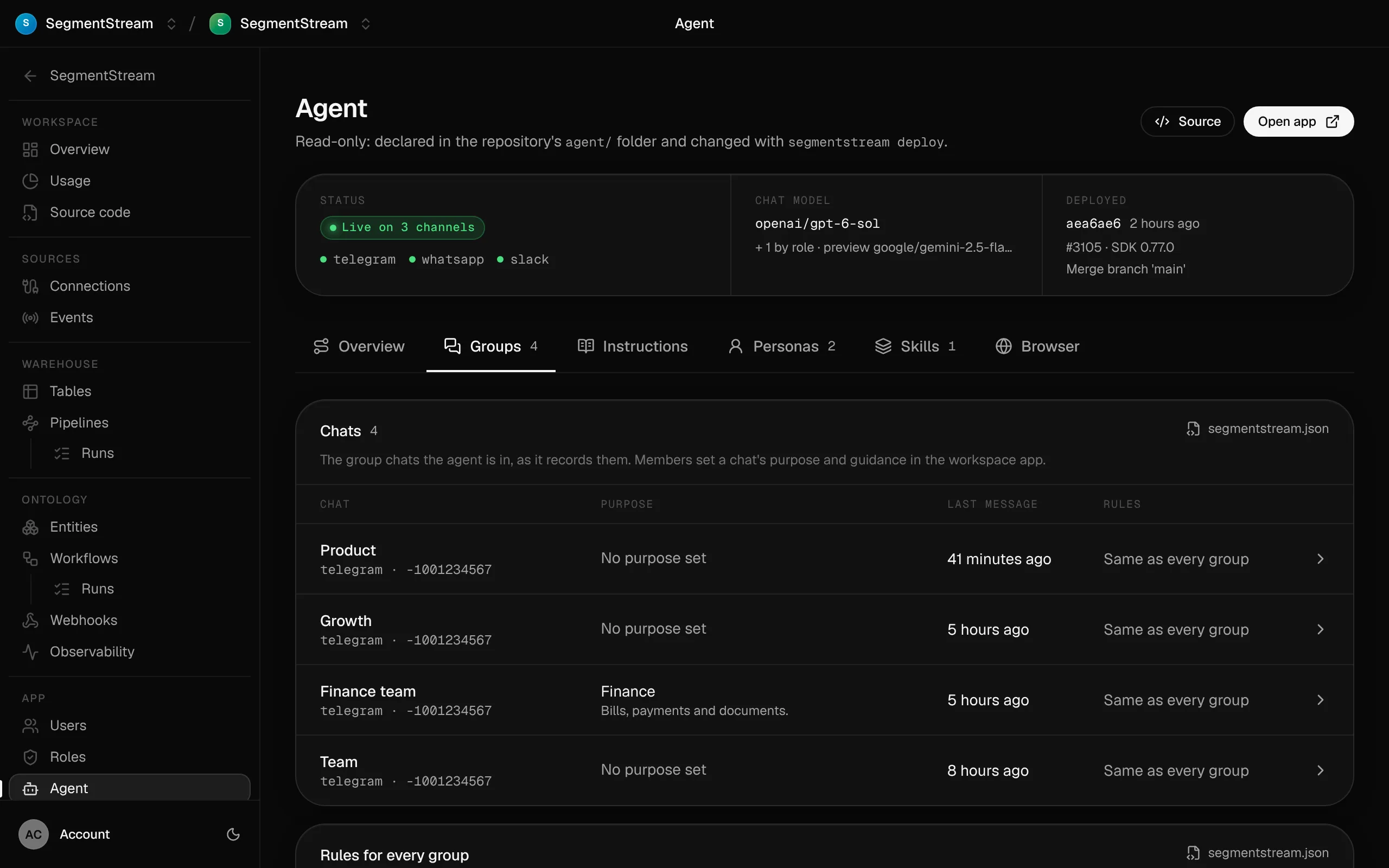
In a team chat, the agent answers when someone addresses it or asks for something it can do, and reads along otherwise. Members can ask it about earlier messages in the chats they're in, and ask it to post an update in another chat.
One agent, different roles
The agent takes different instructions and skills depending on the roles of the person it talks to. Your finance team gets the procedures for closing the month. Everyone else never sees them. Each role can also use its own model, through AI Gateway.
Work without being asked
A workflow can give the agent a task in plain words, such as "check yesterday's bank transactions". The agent works with the workflow's role, and a later step posts the result in the team's chat.
What it did
Every action the agent calls is logged with its input and result, and secrets are redacted. segmentstream agent logs shows them, and the console shows how many sessions started, how they ended and which failed.
Set up in your repository
The agent lives in the agent/ folder of your workspace. Its instructions are plain text, and its channels and models are a few lines of settings.
{
  "channels": {
    "telegram": { "connection": "bot_main" },
    "slack": { "connection": "slack" },
    "email": { "connection": "gmail_sales" }
  },
  "models": { "chat": { "default": "openai/gpt-6-luna" } },
  "groups": { "mode": "smart" }
}
Try it
Install SegmentStream:
curl -fsSL https://segmentstream.com/install.sh | shThen tell your coding agent (Claude Code, Codex, Cursor or another) what the agent should do. For example:
Set up our company agent in Telegram and Slack. The finance role
can ask it to record bills and supplier payments, everyone else
can look things up. In the Finance team chat, answer only when
someone asks it something.
More on the Company Agent page.