
Introducing Pipelines
Load and transform data from every source into your warehouse.
Product · SegmentStream · 9 November 2026 · 3 min read
Pipelines turn raw data from every source your company uses into the tables your reports run on. A pipeline loads data from ad platforms, Stripe, your CRM and your own events. It stitches visitors and sessions, joins costs to conversions and builds models such as cross-channel attribution. It tests the result on every run. Your coding agent writes pipelines in Python, in your repository, and SegmentStream runs them on schedule with lineage and run history in the console.
What's new
- Ingestion from any API through your connections, partitioned by day.
- Models that join, stitch and aggregate data into reporting tables.
- Checks that run with every pipeline and flag bad data.
- Schedules defined in code, with time zones.
- Backfills for any date range, with upstream and downstream tables.
- Destinations that send results back to other tools.
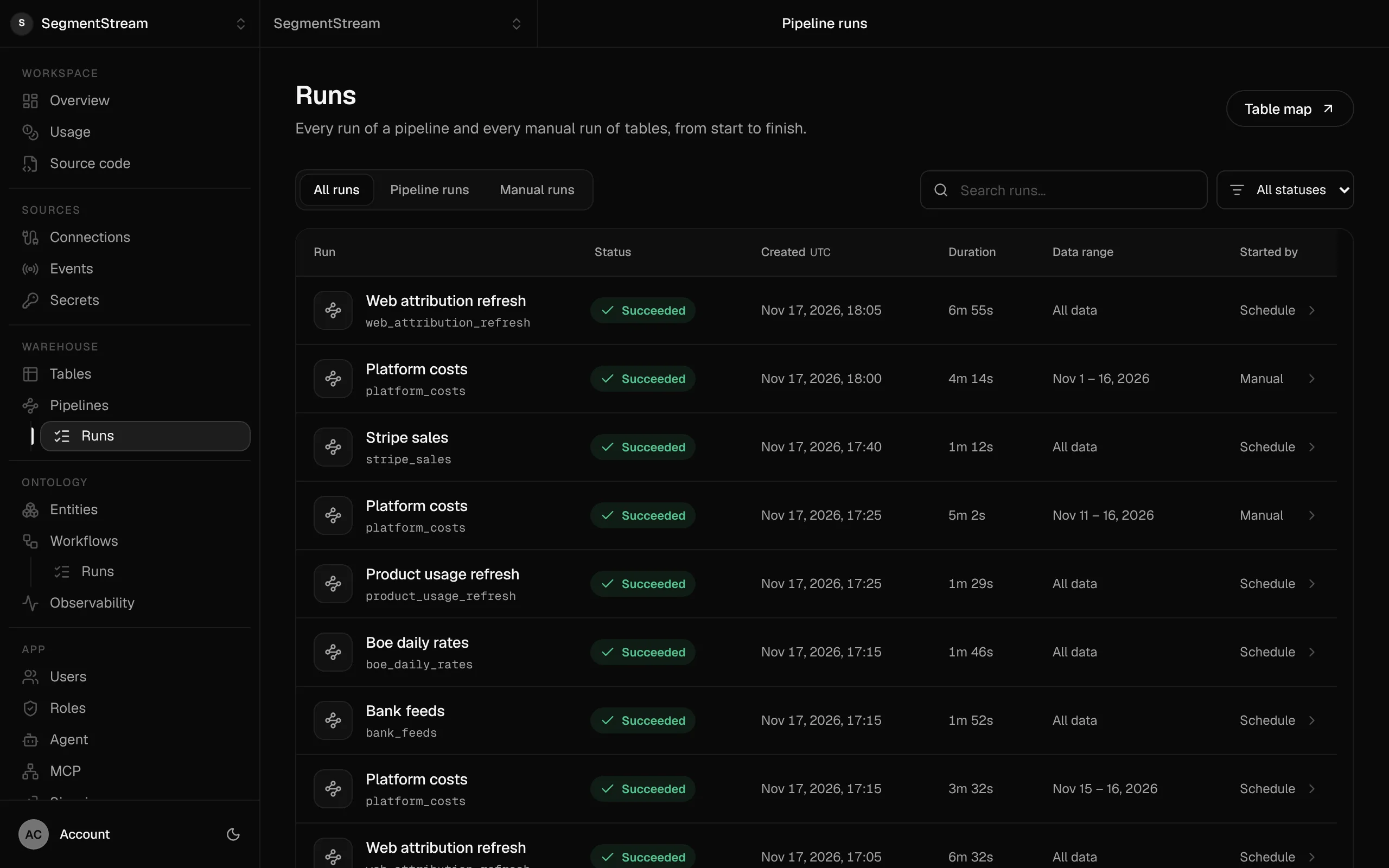
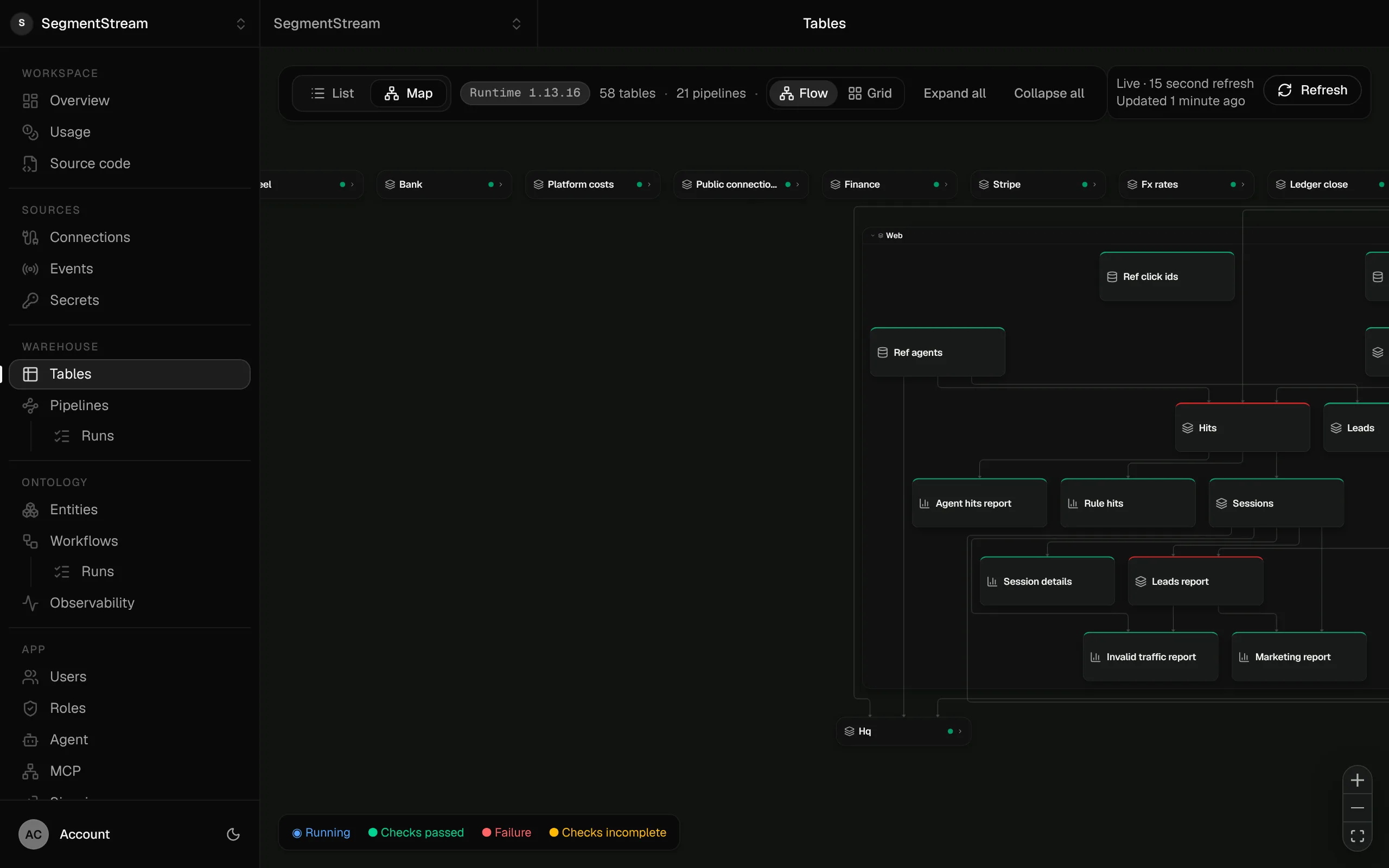
- Lineage and run history in the console and CLI.
Ingestion
A pipeline reads each source through your connections, so credentials never appear in code. There is no fixed catalogue of connectors. If a source has an API, your coding agent writes the ingestion for it.
Ingestion is partitioned by day. Re-running a day replaces exactly that day, so data is never duplicated. Failed requests are retried, and history can be loaded for any range of dates.
Models
Models transform raw data into tables for reporting. They're written in Python and compiled to SQL that runs in your warehouse. Each model declares its schema, and a run that doesn't match it fails instead of writing bad data. Tables move through three tiers: bronze for raw data, silver for cleaned data and gold for reporting.
Our own web analytics runs this way. Raw hits become sessions, sessions are joined to leads and ad costs, and the result is a daily marketing report by channel and campaign.
Checks
Checks are tests that run with the pipeline, such as "every order has an amount" or "no day is missing". Their results appear on the lineage map, so a broken table is caught before it reaches a report.
Schedules and backfills
Schedules are defined in code next to the jobs they run, with a time zone and the date range each run covers. You can pause and resume them from the CLI. Runs execute on managed infrastructure, with no servers or orchestrator to maintain.
To rebuild a table for a range of dates, start a backfill from the lineage map or the CLI, with the tables upstream and downstream of it if needed.
Run history
Every run keeps its logs, output and errors. You or your coding agent can read them from the CLI to see why a run failed, and the lineage map shows which upstream table is affected.
Destinations
A pipeline can also send data out through a connection: conversions to ad platforms, lead scores to a CRM, audiences to an email tool. Each run records how many rows were sent and how many the destination rejected.
Try it
Install SegmentStream:
curl -fsSL https://segmentstream.com/install.sh | shThen tell your coding agent (Claude Code, Codex, Cursor or another) what data you need. For example:
Load our Stripe charges and our Google Ads spend every morning.
Join them by day and campaign into one table of revenue and cost.
Check that no day is missing, and show the table on a page of
our app.
More on the Pipelines page.