
Introducing MCP and API
Your team's AI assistants work in your company's software as themselves and within their roles, with no integration to build.
Product · SegmentStream · 16 October 2026 · 4 min read
On this page
Your team already asks Claude and ChatGPT for help. With MCP and API, those assistants can work in your company's own software: find a deal, update a customer, approve an invoice, as the person asking and only within what their role allows. There is no integration to build for each tool. Every app on SegmentStream comes with it, generated from its ontology: the records your business runs on and the rules for changing them.
The same model is also a REST API for your other systems and a typed SDK for your app. Change a rule once, and every person, agent and system follows it.
What's new
- An MCP server per app, at /mcp, built from your ontology.
- Agents sign in as the person, with OAuth, and choose how much they may do.
- Tools per role: an agent sees only the tools its person's roles allow.
- A REST API with its own reference, interactive at /api/ontology/docs.
- A typed SDK for your app's server code.
- API keys for systems that call your app with nobody signed in.
- Errors an agent can act on: a refused call says why, so the agent fixes it.
An MCP server for every app
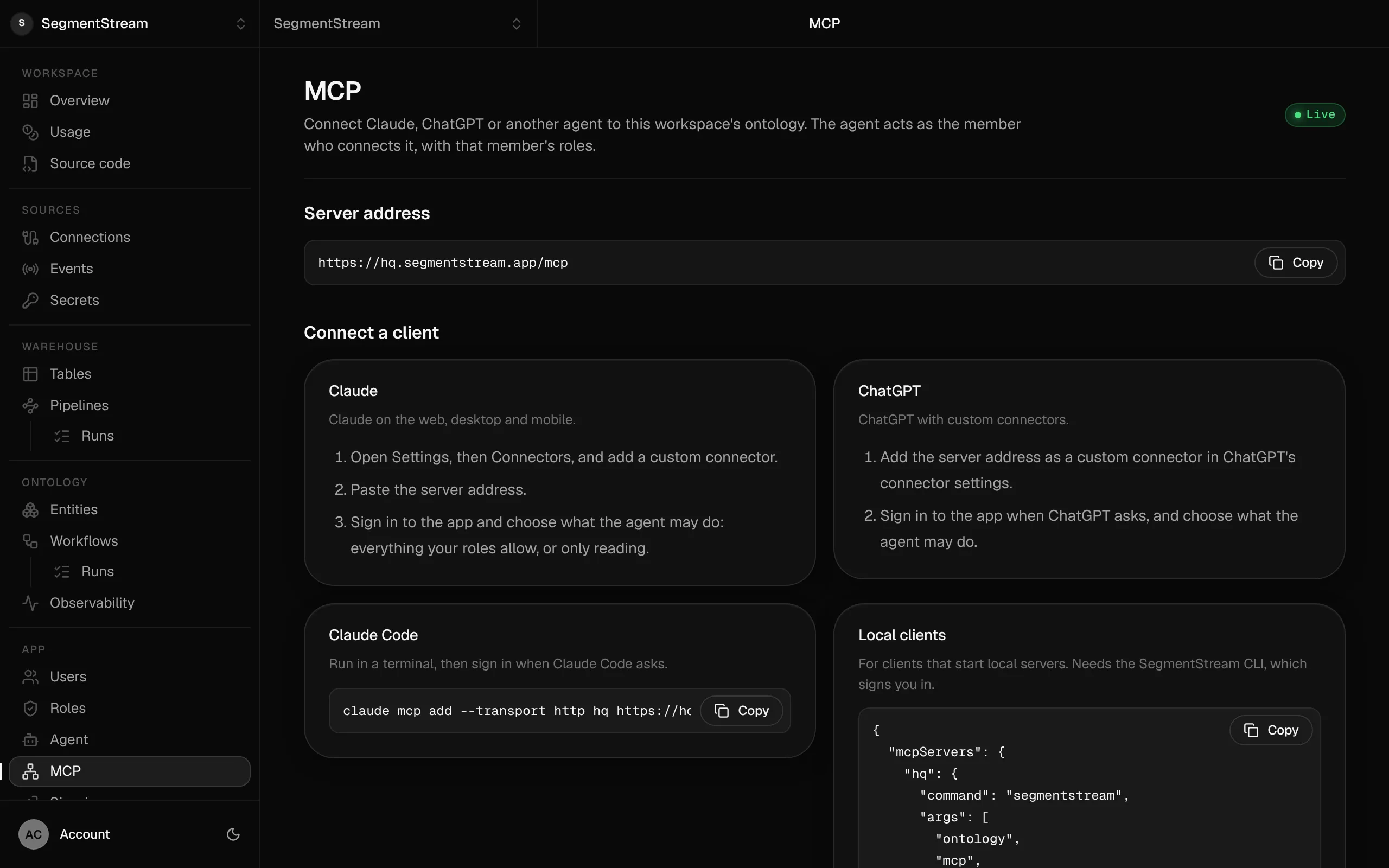
Every app serves its ontology at /mcp on its own domain. Add the address to Claude or ChatGPT as a custom connector, or run one command in Claude Code:
claude mcp add --transport http crm https://crm.example.com/mcpThe tools come straight from your ontology. Each entity gets tools to find, get and read the history of its records, each action becomes a tool, and metric tools count, sum and compare. Every tool carries the descriptions you wrote, so the agent knows what a deal is and when moving one is refused before it calls anything.
Your app's Start page shows members the address and each client's steps, so nobody needs to ask a builder how to connect.
Agents sign in as the person
There is no shared key and no service account. Each member connects their own agent:
- The agent acts with the roles the member holds at that moment. Change a role and the agent changes with it.
- Tokens work only on that app's /mcp and expire within the hour; refresh tokens rotate on every use.
- Deactivate a member and every agent they connected stops at once.
Tools per role
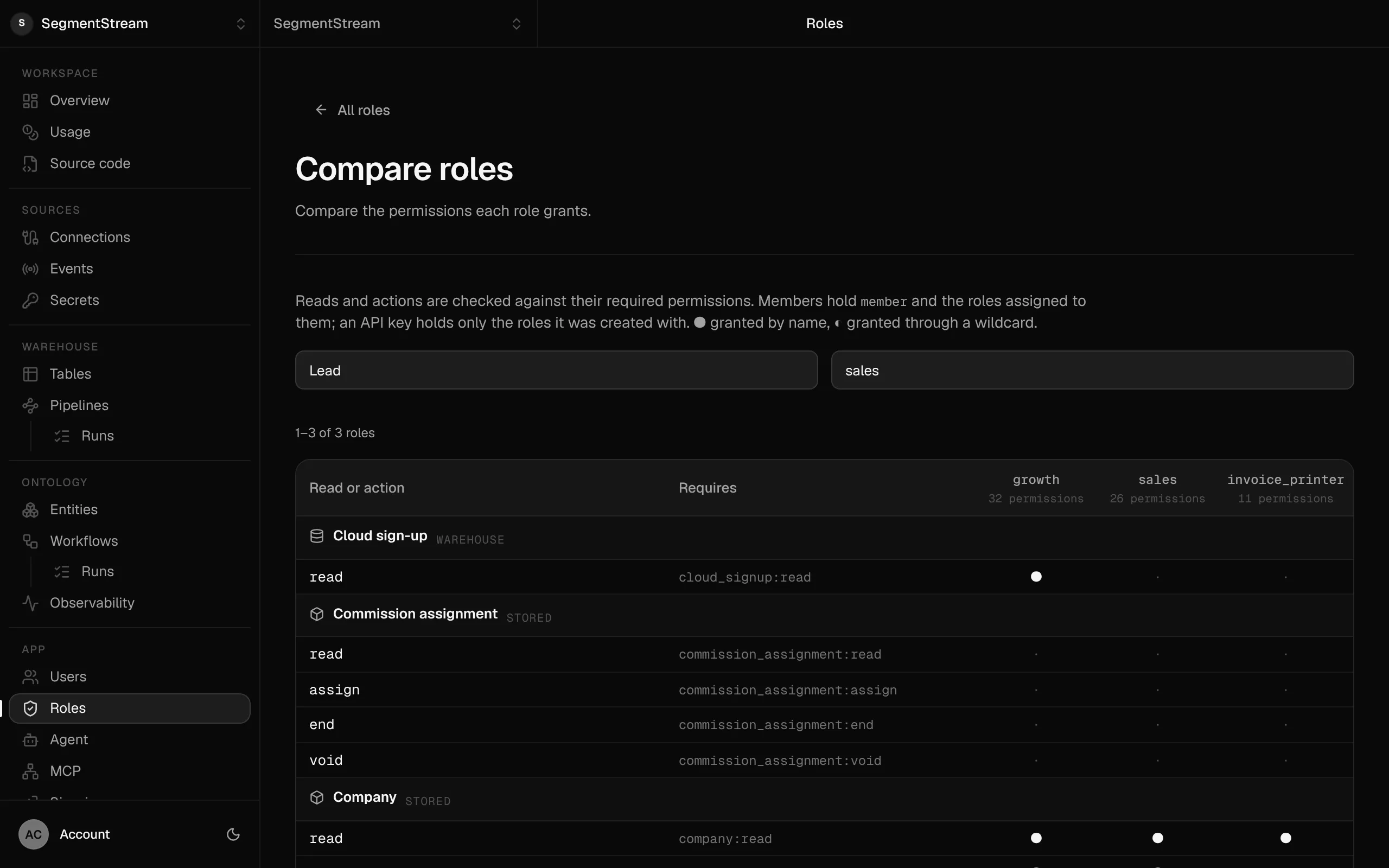
An agent's tool list holds only what its person's roles allow, and every call is checked again on the server. A role without the right to move deals never sees the tool that moves them, so it can't be talked into using it.
Actions carry hints such as destructive or irreversible, so AI tools ask the person before running them. Read-only questions run at once.
A REST API with its own reference
The same ontology is a REST API at /api/ontology. Every entity and every action has its own route, described in an OpenAPI document.
- An interactive reference at /api/ontology/docs. Signed in to the app in the same browser, you try every route as yourself.
- Dry runs. An action called with validate_only checks the input and the caller's permission and returns every problem, without saving anything.
- History on every record, with the action, who ran it, and each value before and after.
A typed SDK for your app
Your app's server code reads and changes records through a typed client generated from the same ontology. It acts as the signed-in member, so the app never holds database credentials and can't do more than the person using it.
API keys for unattended work
A website form, a support desk or another system that calls your app with nobody signed in uses an API key. A key holds exactly the roles it was created with, and history names it.
segmentstream ontology mcp --create-key support-desk --role salesWork that runs on a timetable inside your workspace needs no key: it is a workflow, with a role of its own.
Errors an agent can act on
A refused call returns the action's own message, such as "A lost deal needs a reason", with the problem in each field. The agent reads it, fixes its input and tries again, instead of guessing why it failed.
Try it
Install SegmentStream:
curl -fsSL https://segmentstream.com/install.sh | shThen ask your coding agent (Claude Code, Codex, Cursor or another) to open your app to your team's AI tools. It could be:
Set up our SegmentStream app so the team can use it from Claude
and ChatGPT. Sales may find deals and move them between stages,
marketing may only read them. Add an API key for our website's
contact form that can only submit a lead, nothing else.
Read more on the MCP and API page, or why one gateway beats raw MCP servers in MCP gateway vs raw MCP servers.