
Introducing Agent Computer
Your agent works with files, browses sites and searches the web.
Product · SegmentStream · 19 November 2026 · 3 min read
On this page
Agent Computer gives Company Agent a computer of its own. In a private sandbox it opens the files people send, runs code on them and edits documents stored on your records. With the roles you grant, it also browses sites in its own cloud browser, staying signed in where your team signed it in, and searches the web. Each tool is off until you turn it on, and each is granted by role.
What's new
- A private sandbox for each chat, with no internet access.
- The agent reads PDFs, scans, spreadsheets, Word files and archives.
- It edits documents stored on your records and saves a new version.
- It reads your workspace's deployed code to know what it can do.
- A cloud browser of its own that stays signed in between chats.
- Web search for the roles you choose.
- Every tool is turned on in code and granted by role.
A sandbox for files
Each chat gets its own Linux sandbox. The agent extracts text from PDFs, reads scans with OCR, opens archives and works through spreadsheets with Python. It totals a whole spreadsheet exactly, rather than estimating from the first rows.
The sandbox has no internet access and holds no credentials, so nothing the agent reads there can send your data anywhere. Files in it last a day unless the agent keeps them.
Files people send
Send the agent a contract PDF, a photo of a receipt, a supplier's price list in Excel or a voice message. It reads the file, and with your actions it files what matters on the right record. It can also send a stored document back into the chat.
Editing documents
The agent can take a document stored on a record into its sandbox, change it and save the result as a new file. It can fill in a contract template, update a spreadsheet or convert a Word file to PDF. The original is never changed, and the agent can only open files the person asking may read.
Knows your software
The agent can read the code your workspace runs, read-only, in its sandbox. So it knows which actions exist and what each one needs, and it can tell the person what needs your builders instead of guessing.
Its own browser
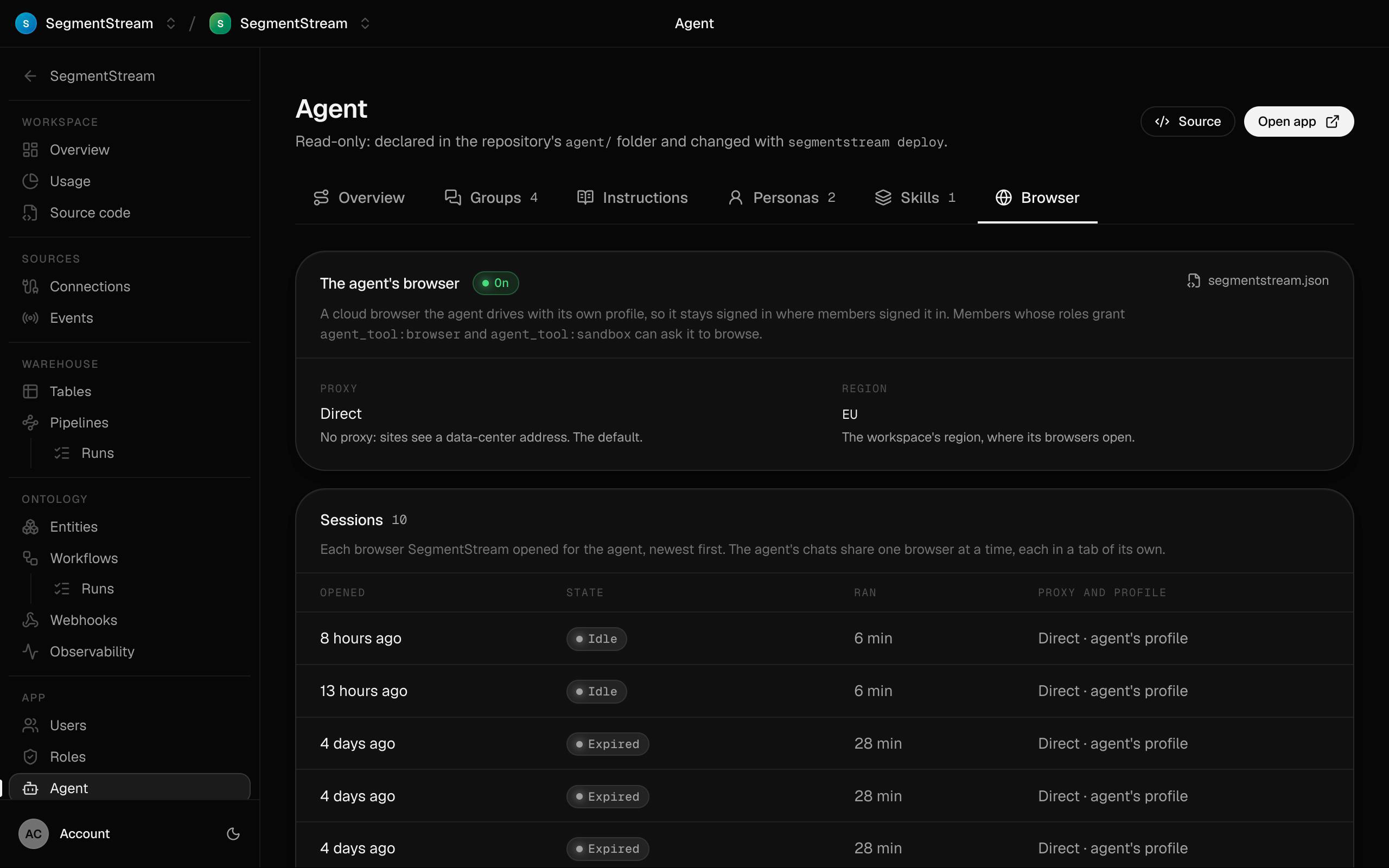
For sites without an API, the agent has a real cloud browser with its own profile. It can check an order in a supplier's portal, download invoices or read a page that needs JavaScript. Each chat gets its own tab.
The agent never types a password. A member signs it in to a site from the console, through a live view of the browser, and it stays signed in until the site signs it out or you reset it. You can send its traffic through a residential connection for sites that block data centres. Your instructions say what it must confirm first, such as submitting a form or paying.
Web search
The roles you choose can have the agent search the web. Searches go through AI Gateway and return results with excerpts. Website guests get it only if you allow it, and they never get the sandbox or the browser.
Turned on in code, granted by role
Each tool is a line in agent/segmentstream.json, and each is granted by a permission in your roles.
{
  "sandbox": true,
  "workspaceSource": true,
  "browser": {}
}
role("finance", {
description: "The finance team.",
permissions: ["*:read", "agent_tool:sandbox", "agent_tool:browser", "agent_tool:web_search"],
})Try it
Install SegmentStream:
curl -fsSL https://segmentstream.com/install.sh | shThen tell your coding agent (Claude Code, Codex, Cursor or another) what the agent should be able to do. For example:
Turn on the agent's sandbox and browser. Let the finance role use
the browser to download invoices from our suppliers' portals, and
let everyone search the web. Before the agent submits a form or
pays anything, it must ask.
More on the Company Agent page.