Ship the app your team opens. Sign-in, roles and data included.
Sign-in, members, permissions, the ontology client and warehouse access for the Next.js app in app/. Your agent writes the screens; the SDK signs invited members in and calls the ontology as them.
Get started
$ npm install @segmentstream-cloud/appAt a glance
- Next.js App Router 16 or later, React 19
- Invited members sign in with an email code; no SegmentStream account
- Records as the signed-in member, typed from your ontology
- The app holds no database or warehouse credentials
What it does
Set up in three files
Configure the app once with the type of your ontology, and keep every page signed in. The ontology is imported as a type only.
// src/segmentstream.tsimport { createSegmentStreamApp } from "@segmentstream-cloud/app";import type ontology from "../../ontology";import link from "../segmentstream.json";export const segmentstream = createSegmentStreamApp<typeof ontology>(link);// src/proxy.tsexport const proxy = segmentstream.proxy({ publicPaths: ["/webhooks"] });// src/app/api/auth/[...path]/route.tsexport const { GET, POST, PUT, DELETE, PATCH } = segmentstream.authHandlers();Email-code sign-in
People you invite sign in with a six-digit code, or a link the first time. Anyone else is asked to request an invitation, and nothing is sent.
import { SignIn } from "@segmentstream-cloud/app/ui";export default async function SignInPage({ searchParams }: { searchParams: SearchParams }) { const { returnTo, error } = await searchParams; return ( <SignIn returnTo={typeof returnTo === "string" ? returnTo : undefined} error={typeof error === "string" ? error : undefined} /> );}Who is signed in, and what they may do
Read the member and their roles in server code, and hide controls they may not use. The ontology checks every call again.
const user = await segmentstream.requireUser();// { id, email, name, roles, permissions, ... }<Can permission="lead:changeStatus" fallback={lead.status}> <ChangeStatusForm lead={lead.id} /></Can>Records through the ontology
Find, get, history and actions on every entity, typed from your ontology, as the signed-in member.
const { items, nextCursor } = await segmentstream.ontology.lead.find({ where: { status: { in: ["new", "contacted"] } }, orderBy: [{ field: "createdAt", direction: "desc" }], include: { owner: true }, limit: 20,});const { result, validation } = await segmentstream.ontology.lead.actions.changeStatus( { lead: id, status: "contacted" },);Warehouse data and measures
Read-only SQL over the workspace warehouse with named parameters, and totals from the measures declared in your ontology.
const { rows } = await segmentstream.warehouse.query<Revenue>( `SELECT order_date, total_revenue FROM gold.revenue_summary WHERE order_date >= @from ORDER BY order_date`, { params: { from: sql.date("2026-09-01") } },);const totals = await segmentstream.ontology.order.aggregate({ dimensions: ["customer.segment"], measures: ["orders"], dateRange: { from: "2026-09-01", to: "2026-09-30" },});Deploy with one command
segmentstream deploy builds the app with the rest of the workspace and puts it online at your-name.segmentstream.app. You don't need a hosting account, a server or copied secrets.
$ segmentstream deployAn app built with the App SDK.
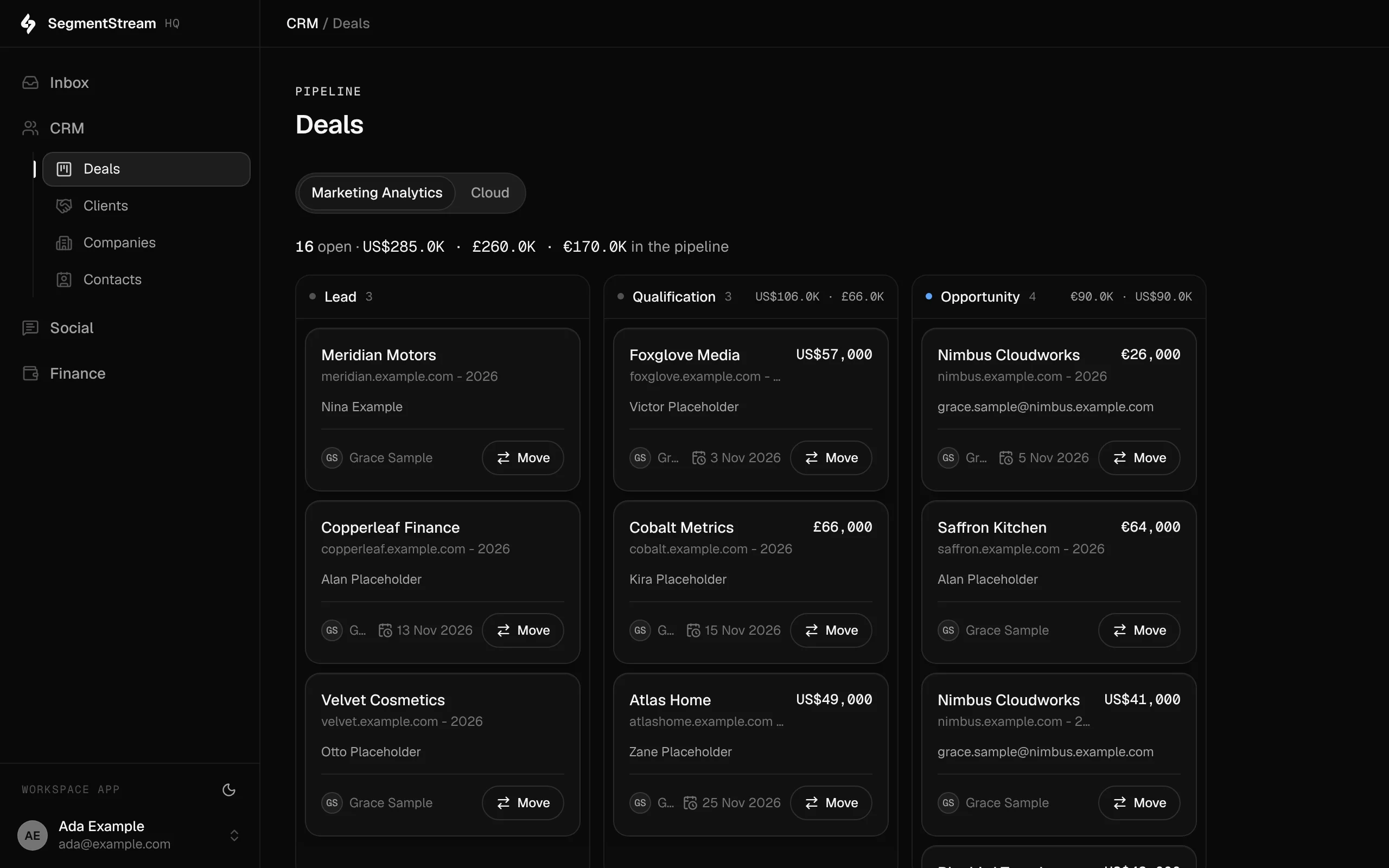
SegmentStream HQ, the app our company runs on: sign-in, records and queries through the App SDK, as the signed-in person.
The rest of the surface
Ontology SDK
@segmentstream-cloud/ontology
Entities, actions and roles; REST, OpenAPI and MCP from one model
Pipeline SDK
segmentstream-pipeline (Python)
Connections, ingestion, models, checks and schedules in Python
Agent SDK
@segmentstream/agent
The company agent: ontology tools as the member, in your team’s channels
CLI
segmentstream
Workspaces, deploys, members, jobs and data from the terminal
MCP and API
/mcp and /api/ontology on every app
REST, OpenAPI and MCP on every app, per caller
Build your company’s own software. Let agents run it.
$ segmentstream workspace create acme --region eu --subdomain acme
▸ Created workspace acme · database, warehouse and a private git repository
$ segmentstream workspace WORKSPACE-ID clone acme && cd acme
▸ your coding agent builds what your team asked for and runs the checks
$ git add -A && git commit -m "First version"
$ segmentstream deploy
▸ app, company agent, API and MCP tools live for your invited members
Our engineers build the first version on your data in two weeks, at a fixed price.
Or build it yourself with your coding agent:
curl -fsSL https://segmentstream.com/install.sh | sh